
GNSS Module Setup Guide: Get Centimeter-Level Precision with the MultiNav Pro+
The Complete GNSS Module Setup Guide for Builders Who Demand Real Accuracy
If you have been searching for a reliable, fast, and genuinely accurate GNSS module setup guide, you are in the right place. Whether you are building a drone, designing an IoT tracking system, conducting field research, or prototyping a precision robotics platform, getting your GNSS module configured correctly from the start is the difference between a project that works and one that drifts, lags, or fails in the field.
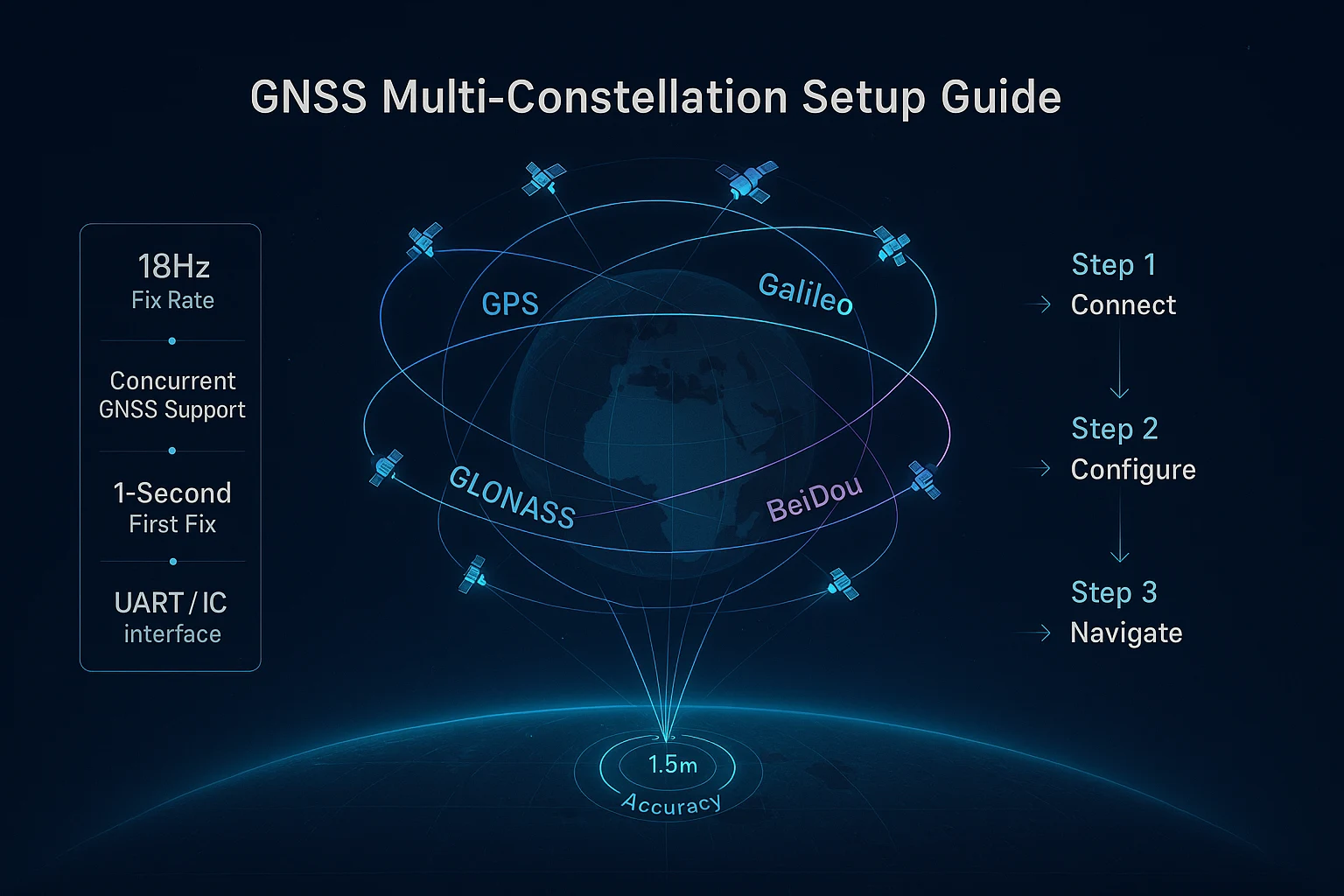
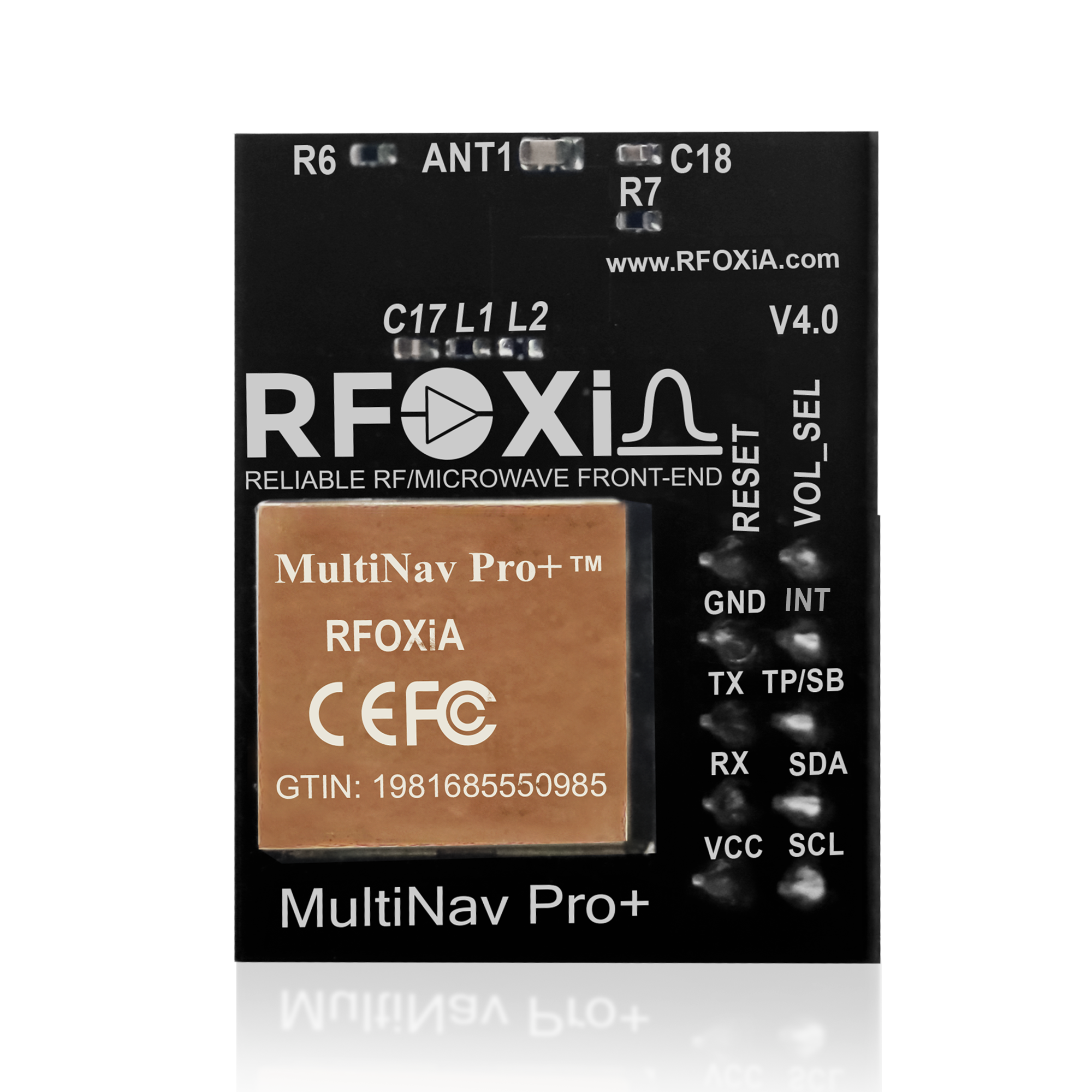
This guide covers everything you need to know about setting up the RFOXiA MultiNav Pro+ GNSS Module — from unboxing and hardware connections through firmware integration, software configuration, and real-world deployment tips. The MultiNav Pro+ is built around the u-blox MIA-M10Q, one of the most capable GNSS chips available today, and RFOXiA has engineered it into a compact, FCC-certified module that delivers 1.5-meter accuracy and an 18Hz fix rate at a price point that makes professional-grade navigation accessible to every builder.
Let's get into it.
What Is the MultiNav Pro+ and Why Does It Matter?
Before diving into the GNSS module setup guide itself, it helps to understand what makes this particular module worth your time.
Most GNSS modules on the market fall into two camps: cheap modules with slow fix rates and poor accuracy, or expensive industrial solutions that require significant engineering effort to integrate. The MultiNav Pro+ occupies the gap between those two worlds. It is a professional-grade module built on a premium chipset, designed to be genuinely easy to use, fully open-source, and priced at $49 — a price point that should not be possible for what this hardware delivers.
Here is what makes it stand out:
- 1.5-meter accuracy — not theoretical, not best-case. Real-world precision you can build applications around.
- 18Hz fix rate — critical for tracking fast-moving platforms like drones, where a 1Hz update rate means your position data is already stale by the time it arrives.
- First fix in 1 second — no waiting around for satellite acquisition in the field.
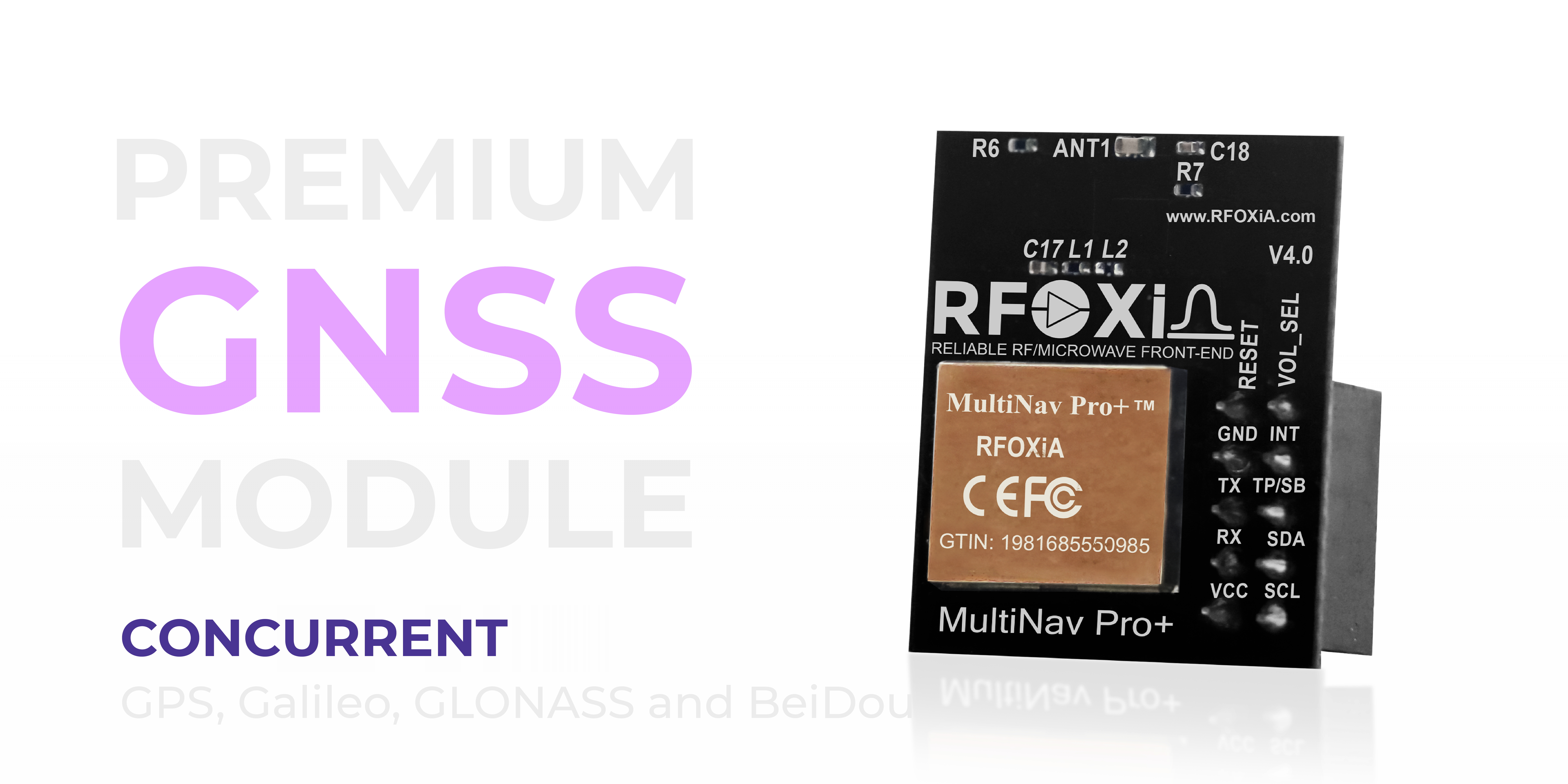
- Concurrent GPS, Galileo, GLONASS, and BeiDou — four constellations simultaneously for maximum signal availability anywhere on the planet.
- FCC certified — ready for real product deployment, not just prototyping.
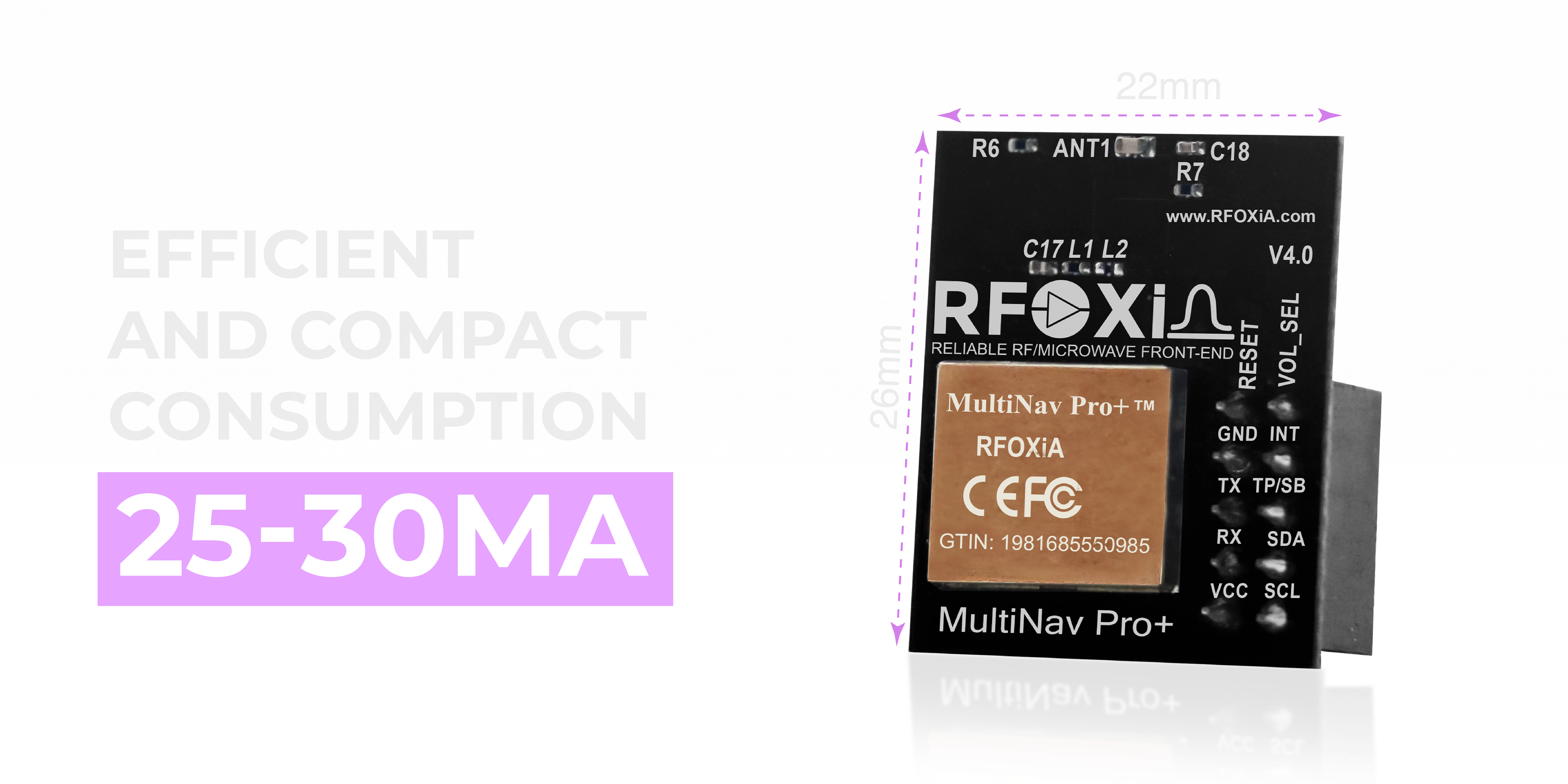
- 26mm x 22mm footprint — compact enough for weight-sensitive and space-constrained builds.
For drone operators, robotics engineers, IoT developers, and researchers, this is the module you reach for when accuracy and update rate actually matter to your application.
Part 1: Hardware Overview and What's in the Box
Every MultiNav Pro+ package includes the GNSS module itself and a Quick Start Guide. The module arrives ready to connect — no soldering required for initial testing if you are using standard header connections.
Physical Specifications
- Dimensions: 26mm x 22mm
- Operating voltage: 1.8V or 3.3V (versatile for integration with different microcontroller families)
- Current consumption: 25–30mA during active tracking
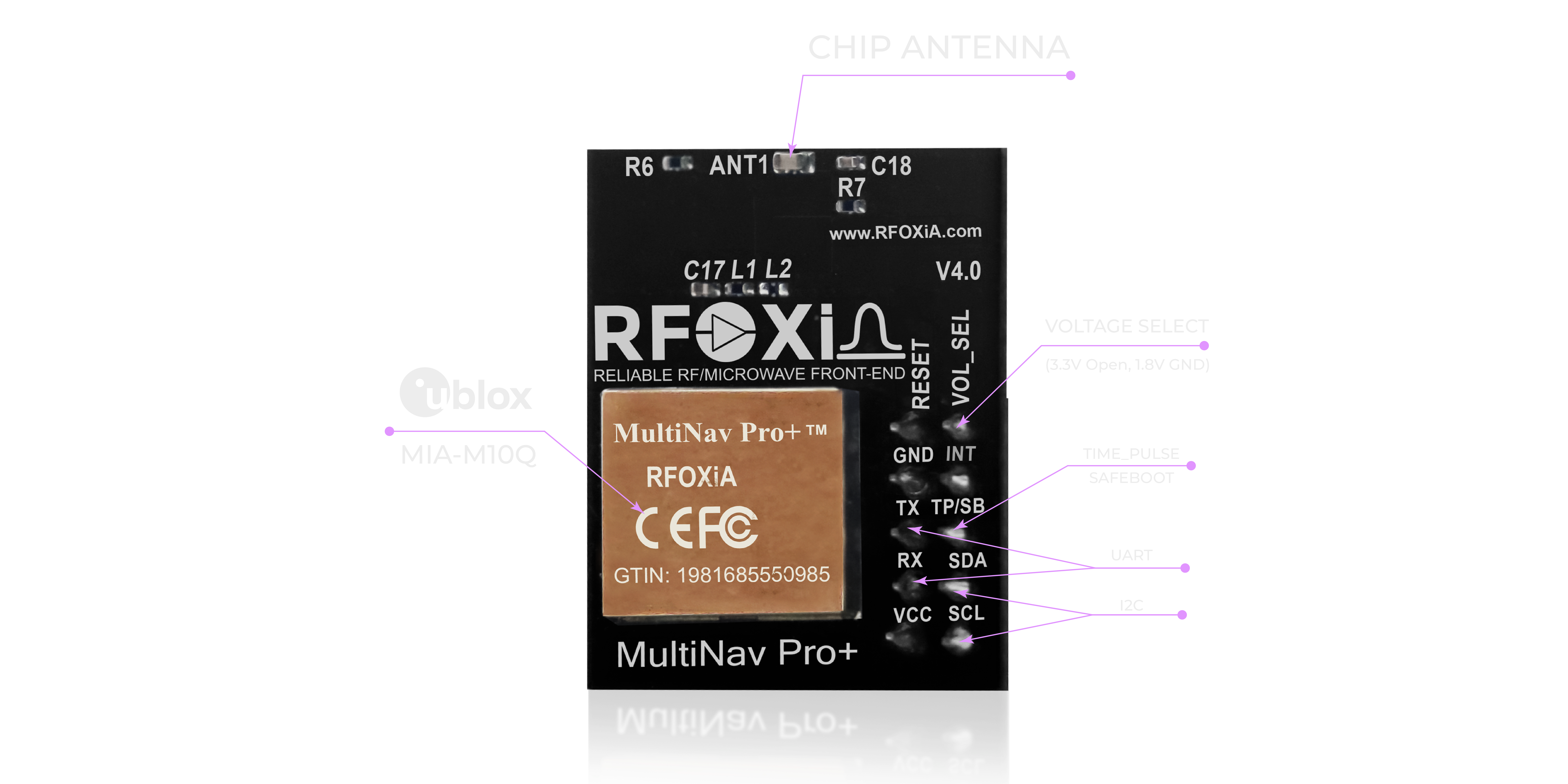
- Interface options: UART (TX, RX) and I2C (SCL, SDA)
- Antenna: Integrated high-gain chip antenna — no external antenna required
Pin Layout
The module exposes the following primary pins:
| Pin | Function |
|---|---|
| VCC | Power input (1.8V or 3.3V) |
| GND | Ground |
| TX | UART transmit |
| RX | UART receive |
| SCL | I2C clock |
| SDA | I2C data |
| PPS | Pulse-per-second timing output |
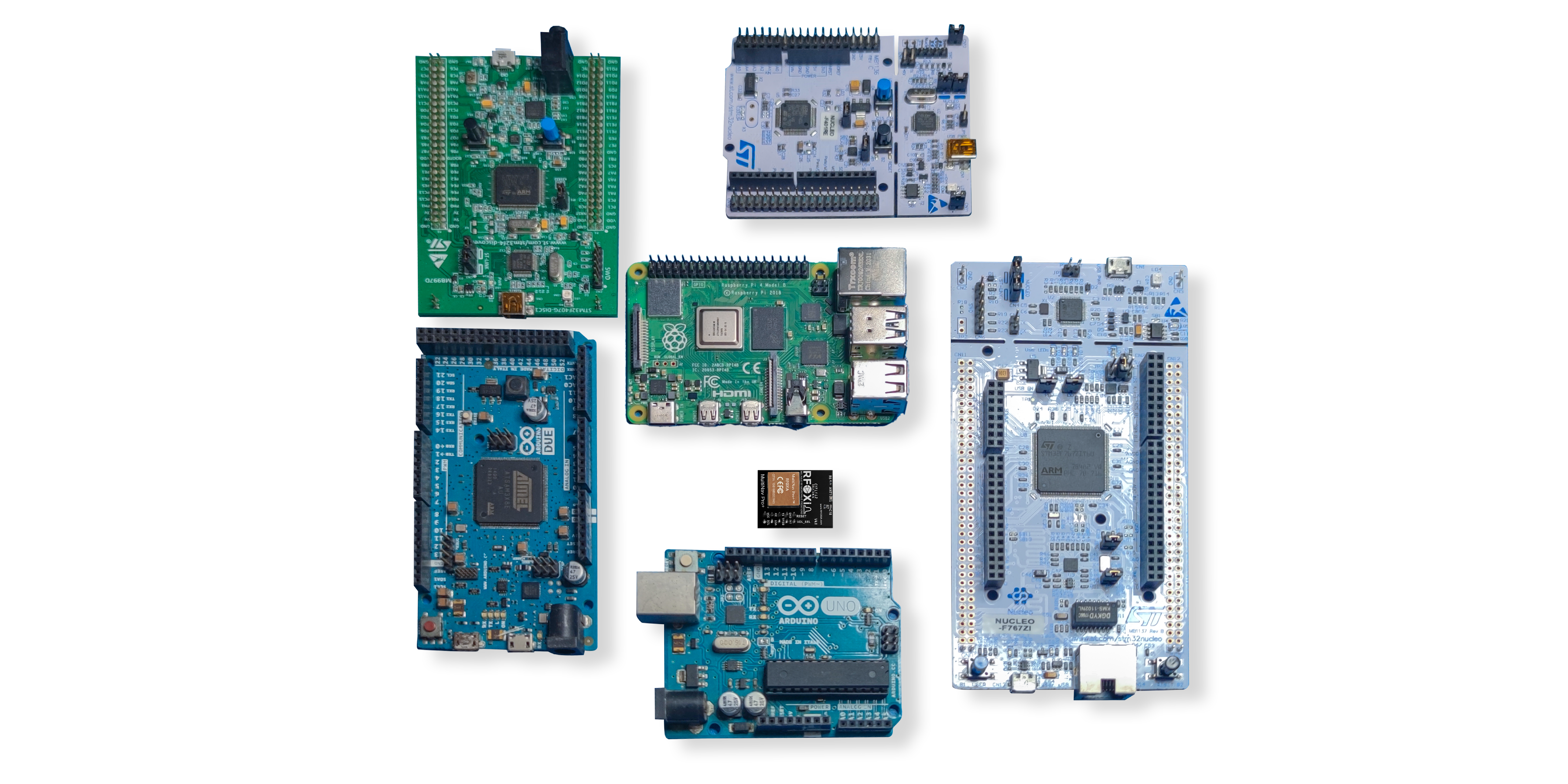
The dual voltage support (1.8V and 3.3V) is worth noting — it means you can integrate this module directly with 3.3V systems like ESP32, Arduino, STM32, and Raspberry Pi without additional level shifting hardware in most configurations.

Part 2: Choosing Your Interface — UART vs I2C
One of the first decisions in any GNSS module setup guide is which communication interface to use. The MultiNav Pro+ supports both UART and I2C, and the right choice depends on your application.
UART (Recommended for Most Applications)
UART is the standard interface for GNSS modules and the simplest to work with. The module streams NMEA sentences continuously over TX at a configurable baud rate (default 9600, configurable up to 115200 baud).
Use UART when:
- You need high-throughput data streaming (important at 18Hz)
- You are using a single GNSS module
- You want the simplest possible integration
- You are reading NMEA data directly into a parser
UART Wiring:
- Module TX → Microcontroller RX
- Module RX → Microcontroller TX
- Module VCC → 3.3V
- Module GND → GND
I2C (Best for Multi-Device Buses)
I2C is useful when you need to share a bus with other sensors — for example, combining the MultiNav Pro+ with an accelerometer and pressure sensor on the same two-wire bus.
Use I2C when:
- You have multiple sensors sharing a bus
- Your microcontroller has limited UART peripherals
- You prefer a polled (request-response) communication style
Default I2C address: 0x42 (standard u-blox address, configurable via UBX protocol)
Part 3: Wiring Diagrams and Connection Examples
Arduino Uno / Nano (UART)
MultiNav Pro+ TX → Arduino Pin 4 (SoftwareSerial RX)
MultiNav Pro+ RX → Arduino Pin 3 (SoftwareSerial TX)
MultiNav Pro+ VCC → Arduino 3.3V
MultiNav Pro+ GND → Arduino GND
Note: Arduino Uno runs at 5V logic. Use a level shifter on TX/RX lines, or power the module from 3.3V and use a 1kΩ resistor on the RX line from Arduino to module.
ESP32 (UART — Native 3.3V, Recommended)
MultiNav Pro+ TX → ESP32 GPIO16 (UART2 RX)
MultiNav Pro+ RX → ESP32 GPIO17 (UART2 TX)
MultiNav Pro+ VCC → ESP32 3.3V
MultiNav Pro+ GND → ESP32 GND
The ESP32 is an excellent pairing with the MultiNav Pro+ — native 3.3V logic, multiple hardware UART peripherals, and enough processing power to handle 18Hz NMEA parsing without performance issues.
STM32 (I2C)
MultiNav Pro+ SCL → STM32 PB6 (I2C1 SCL)
MultiNav Pro+ SDA → STM32 PB7 (I2C1 SDA)
MultiNav Pro+ VCC → STM32 3.3V
MultiNav Pro+ GND → STM32 GND
Part 4: Software Setup and Library Integration
This is where the MultiNav Pro+ truly separates itself from the competition in a GNSS module setup guide context: it ships with a fully open-source C language library that implements the NMEA standard protocol commands out of the box.
Installing the Library in Arduino IDE
- Download the MultiNav Pro+ library from the RFOXiA GitHub repository or the RFOXiA Accurate GNSS Module product page.
- Open Arduino IDE.
- Navigate to Sketch → Include Library → Add .ZIP Library.
- Select the downloaded library ZIP file.
- The library will appear under File → Examples → MultiNavProPlus.
Basic NMEA Parsing Example (Arduino / ESP32)
#include <MultiNavPro.h>
#include <SoftwareSerial.h>

SoftwareSerial gpsSerial(4, 3); // RX, TX
MultiNavPro gnss;

void setup() {
  Serial.begin(115200);
  gpsSerial.begin(9600);
  gnss.begin(gpsSerial);
}

void loop() {
  gnss.update();
  if (gnss.isFixed()) {
    Serial.print("Lat: ");
    Serial.println(gnss.getLatitude(), 6);
    Serial.print("Lon: ");
    Serial.println(gnss.getLongitude(), 6);
    Serial.print("Fix Rate: ");
    Serial.println(gnss.getFixRate());
    Serial.print("Satellites: ");
    Serial.println(gnss.getSatellites());
  }
  delay(55); // ~18Hz polling
}
This minimal sketch gets you latitude, longitude, fix rate, and satellite count. From this foundation you can build waypoint navigation, geofencing, data logging, and telemetry pipelines.
Key NMEA Sentences Output by the MultiNav Pro+
| Sentence | Data Provided |
|---|---|
| $GPGGA | Position, fix quality, altitude, satellites |
| $GPRMC | Position, speed, course, date/time |
| $GPGSV | Satellites in view, signal strength |
| $GPGSA | DOP values, active satellites |
| $GNZDA | UTC time and date |
At 18Hz, the module outputs these sentences approximately 18 times per second — sufficient resolution for tracking fast-moving aerial platforms where even a 100ms position lag matters.
Part 5: U-Center Software Configuration
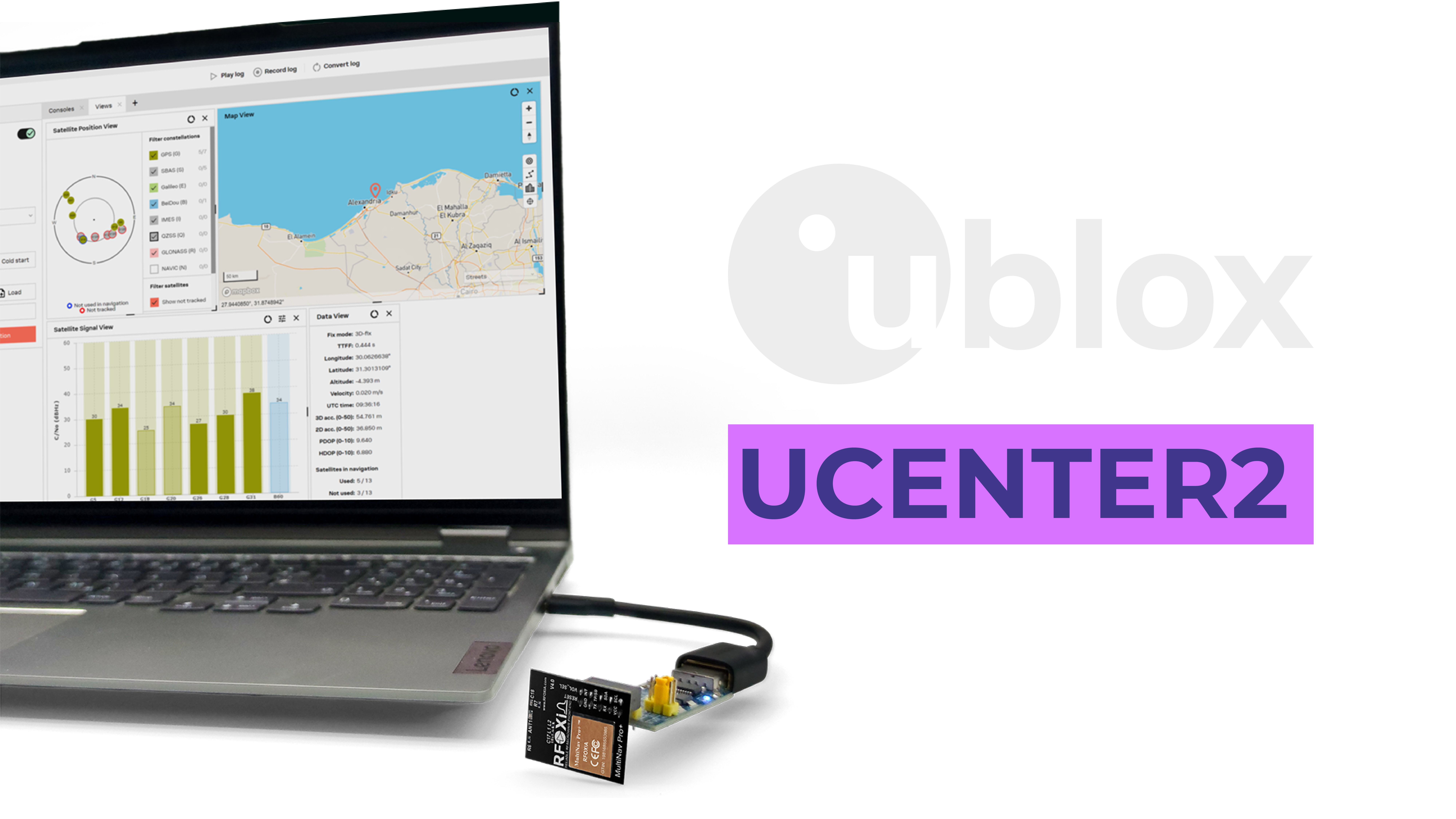
For advanced configuration, evaluation, and visualization, u-blox provides the U-Center software (Windows), and RFOXiA fully supports it with the MultiNav Pro+.
What You Can Do in U-Center
- Satellite visualization — see exactly which satellites are being tracked, their signal strength (C/N0), and elevation angle
- Real-time position tracking — watch your position update in real time on a map view
- Fix rate configuration — set the navigation update rate (1Hz to 18Hz) via UBX-CFG-RATE messages
- NMEA sentence filtering — enable or disable individual NMEA output sentences to reduce serial bandwidth
- Power mode configuration — balance power consumption vs performance for battery-sensitive deployments
- Data logging — record raw NMEA or UBX data for post-processing
- Firmware updates — update the u-blox MIA-M10Q firmware if updates are released
Connecting U-Center to the MultiNav Pro+
- Connect the module via USB-to-UART adapter (3.3V logic — CP2102 or CH340 recommended)
- Open U-Center
- Click Receiver → Connection and select your COM port
- Set baud rate to 9600 (default) or your configured rate
- U-Center will automatically detect the module and begin displaying data
Setting Fix Rate to 18Hz in U-Center
- Navigate to View → Configuration View
- Select RATE (Rates) from the left panel
- Set Measurement Period to 55ms (= 18.18Hz)
- Click Send to apply
- Click Save Config to persist across power cycles
Pro tip: At 18Hz with multiple NMEA sentences enabled, your UART bandwidth at 9600 baud may become the bottleneck. Increase baud rate to 57600 or 115200 in U-Center before enabling 18Hz if you are using all NMEA sentences.
Part 6: Optimizing Performance for Your Application
A complete GNSS module setup guide goes beyond wiring and basic code. Here are application-specific tuning tips for the most common use cases.
Drones and Fast-Moving Aerial Platforms
- Set fix rate to 18Hz — this is why you chose this module. Use it.
- Enable only GGA and RMC sentences — reduces serial overhead, keeps data clean
- Mount the module on the top of the frame — maximize sky view, minimize frame obstruction
- Avoid mounting near power wires or motors — EMI can degrade GNSS signal quality
- Use the PPS output for time synchronization if your flight controller requires it
IoT Tracking Devices
- Use power saving mode for battery-powered trackers — reduces current to ~5mA in acquisition mode
- 1Hz fix rate is sufficient for most asset tracking applications
- Enable geofencing via UBX protocol for event-triggered position reporting
- Log to SD card at full 18Hz for post-mission analysis
Field Research and Environmental Monitoring
- Pair with the RFOXiA Sensors Module for combined GPS-tagged environmental data
- Log UTC timestamps from $GNZDA for precise temporal correlation of sensor readings
- Use I2C if your research platform already has other sensors on UART
Precision Agriculture
- Deploy multiple MultiNav Pro+ nodes across a field for distributed position validation
- Combine with GNSS correction services (SBAS/EGNOS/WAAS) for sub-meter accuracy in supported regions — the MIA-M10Q supports SBAS natively
Part 7: Troubleshooting Common Issues
Even with a clean GNSS module setup guide, issues arise. Here are the most common problems and their solutions.
No Fix After Several Minutes
- Check sky view — the module needs a clear view of the sky. Indoors or near tall buildings will prevent a fix.
- Verify power supply — ensure VCC is stable at 3.3V. Voltage sag under load can cause the module to reset.
- Check baud rate — mismatched baud rate means garbage data and appears as "no communication"
- Wait for cold start — first fix from a completely cold start (new location, first power-on) can take 30–60 seconds
Noisy or Jumping Position
- Check antenna clearance — nearby metal objects can detune the integrated chip antenna
- Increase satellite count — more satellites in view means better DOP (dilution of precision) and more stable position
- Enable SBAS in U-Center for differential correction
Data Corruption on UART
- Reduce NMEA sentences — too much data at 9600 baud at 18Hz can overflow buffers
- Increase baud rate to 115200
- Use hardware UART instead of SoftwareSerial for reliability at high data rates
Module Not Detected on I2C
- Check pull-up resistors — I2C requires 4.7kΩ pull-ups on SCL and SDA
- Verify address — default is 0x42, scan the I2C bus with a scanner sketch to confirm
- Check voltage levels — ensure both master and module operate at the same logic voltage
Part 8: Use Cases — What You Can Build with the MultiNav Pro+

The applications for a high-performance GNSS module at this price point are genuinely broad:
Drones and UAV Systems Precision waypoint navigation, return-to-home functionality, geofencing, and position hold. At 18Hz, the MultiNav Pro+ keeps pace with aggressive flight maneuvers.
Robotics and Autonomous Ground Vehicles Outdoor navigation, path planning, GPS-based odometry fusion with IMU data.
IoT Asset Tracking Real-time location of vehicles, equipment, livestock, or valuable assets — with sub-1.5m accuracy for precise geofencing.
Wearables and Personal Tracking Fitness devices, hiking computers, emergency location beacons — all benefit from fast fix rates and accurate position.
Environmental Research GPS-tagged sensor readings for environmental monitoring, climate research, and precision agriculture data collection.
Smart City Infrastructure Location-aware sensor networks for traffic monitoring, waste management, and public safety.
Automotive Applications Fleet tracking, driving behavior analysis, navigation assistance for embedded automotive systems.
Education and Learning A genuinely professional GNSS module that students and hobbyists can afford and learn on — with a real open-source library and industry-standard protocols.
The RFOXiA Ecosystem Advantage
The MultiNav Pro+ is not just a standalone module — it is part of a vertically integrated wireless development ecosystem. When you pair it with the RFOXiA BLE Module (5km ground range, up to 50km drone-to-drone), your GNSS data gets transmitted wirelessly to a paired device without any cellular infrastructure. No SIM card. No cloud subscription. No towers.
Add the Sensors Module for GPS-tagged environmental data. Add the Power/Program Kit for 24-hour field runtime on a 5-minute charge. The whole stack comes together in the Developer Bundle — and every module in the ecosystem is FCC certified and ships ready to use.
If you are serious about building real wireless systems, start with the RFOXiA Accurate GNSS Module and explore the full ecosystem at RFOXiA Club. New members receive a $10 welcome credit on signup — no hardware purchase required to get started.
Summary: Your GNSS Module Setup Guide Checklist
Here is a quick reference checklist for getting the MultiNav Pro+ running from scratch:
- Choose interface: UART (recommended) or I2C
- Wire module to microcontroller at correct voltage (3.3V)
- Install MultiNav Pro+ library in Arduino IDE or your toolchain
- Upload basic NMEA parsing sketch, verify serial output
- Confirm fix acquisition outdoors with clear sky view
- Configure fix rate to 18Hz via U-Center or UBX command if required
- Optimize NMEA sentence output for your bandwidth
- Tune power settings for your deployment scenario
- Integrate position data into your application logic
- Deploy and validate real-world accuracy
Following this GNSS module setup guide from connection through configuration, the MultiNav Pro+ will be fully operational in under an hour — and delivering professional-grade position data to your application for the life of your project.
Ready to Build?
The MultiNav Pro+ is in stock, FCC certified, and ships now. At $49, it is the highest-performance GNSS module available at this price point — and the only one backed by a complete wireless development ecosystem, an AI firmware builder, and a community of builders pushing the limits of what wireless hardware can do.
Get yours at the RFOXiA Accurate GNSS Module product page. Questions about integration, firmware, or pairing with other RFOXiA modules? Join RFOXiA Club — free access, $10 welcome credit, and a developer community that builds the kind of things you are trying to build.
Build further. Navigate precisely. Ship something real.
Written by: Moamen Mohamed LinkedIn