
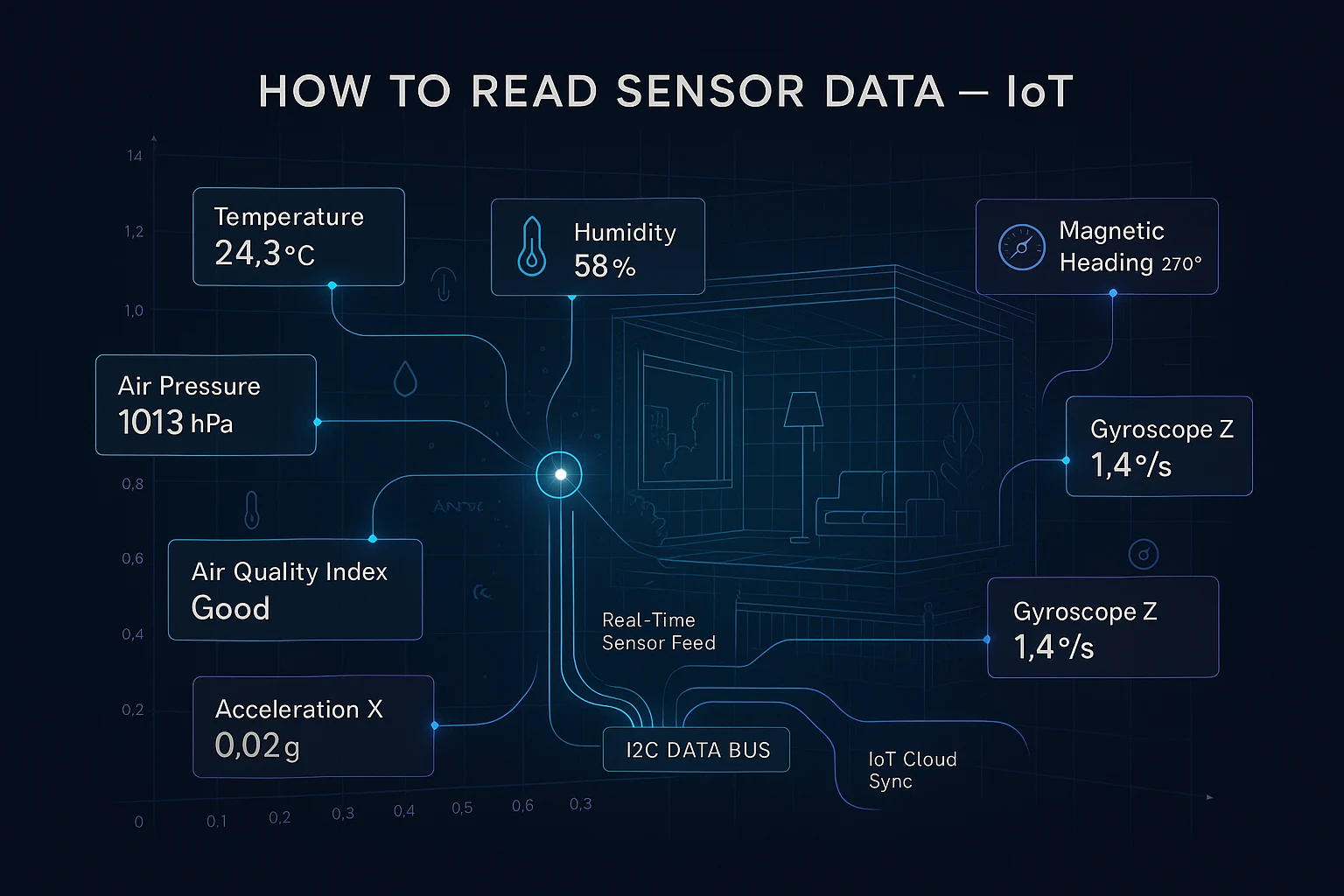
How to Read Sensor Data IoT Projects Depend On: The Complete Developer Guide
RFOXiA Integrated Sensors Module
How to Read Sensor Data IoT Builders Actually Need — Motion, Environment, and Air Quality in One Module
If you've spent any time building connected hardware, you already know the frustration. You need temperature data. Fine — one sensor. You need orientation data. Another sensor, another library, another I2C address conflict to debug. You need air quality. Now you're stacking breakout boards, wrestling with power budgets, and spending more time managing sensor hell than actually building your application.
This guide covers exactly how to read sensor data IoT projects demand across every dimension — motion, environmental, and atmospheric — without the chaos of juggling five separate modules. By the end, you'll understand the signal chain from raw hardware output to application-ready data, the integration patterns that actually work in production, and how a single compact module can replace an entire breadboard full of breakouts.
We'll use the MultiNav Pro+™ Sensors Module from RFOXiA as the real-world reference platform throughout — because it's one of the few devices on the market that genuinely solves the multi-sensor integration problem without compromise.
Why Multi-Sensor Integration Is Harder Than It Looks
Beginners assume reading sensor data is simple: wire it up, call a library function, print to serial. And for a single sensor in isolation, that's mostly true. But real IoT applications don't run in isolation.
Here's what actually breaks production sensor stacks:
I2C address conflicts. Most sensors come with one or two hardwired addresses. When you combine an accelerometer, a humidity sensor, and a pressure sensor from different vendors, address collisions are almost inevitable. You end up with I2C multiplexers, software address remapping, or just giving up and using separate SPI buses — which eats GPIO pins fast.
Power sequencing. Different sensors have different startup times, voltage requirements, and power modes. Get the initialization order wrong and you'll see sporadic read failures that are nearly impossible to reproduce consistently.
Interrupt routing. Motion sensors like accelerometers and gyroscopes are most useful when they can signal your microcontroller via interrupt rather than polling. Managing multiple interrupt lines from multiple sensors without them stepping on each other requires careful hardware planning.
Library conflicts. Community libraries for sensors often fight over the same underlying hardware abstraction layer functions. On Arduino-class microcontrollers especially, this creates linker errors or silent runtime failures.
Calibration drift. Each sensor drifts independently. Without a unified calibration strategy that accounts for the interactions between sensors (temperature affects pressure readings, for instance), your data degrades over time in ways that are hard to detect.
Professional IoT hardware design solves all of these at the board level — not in firmware. That's the fundamental insight behind modules like the MultiNav Pro+.
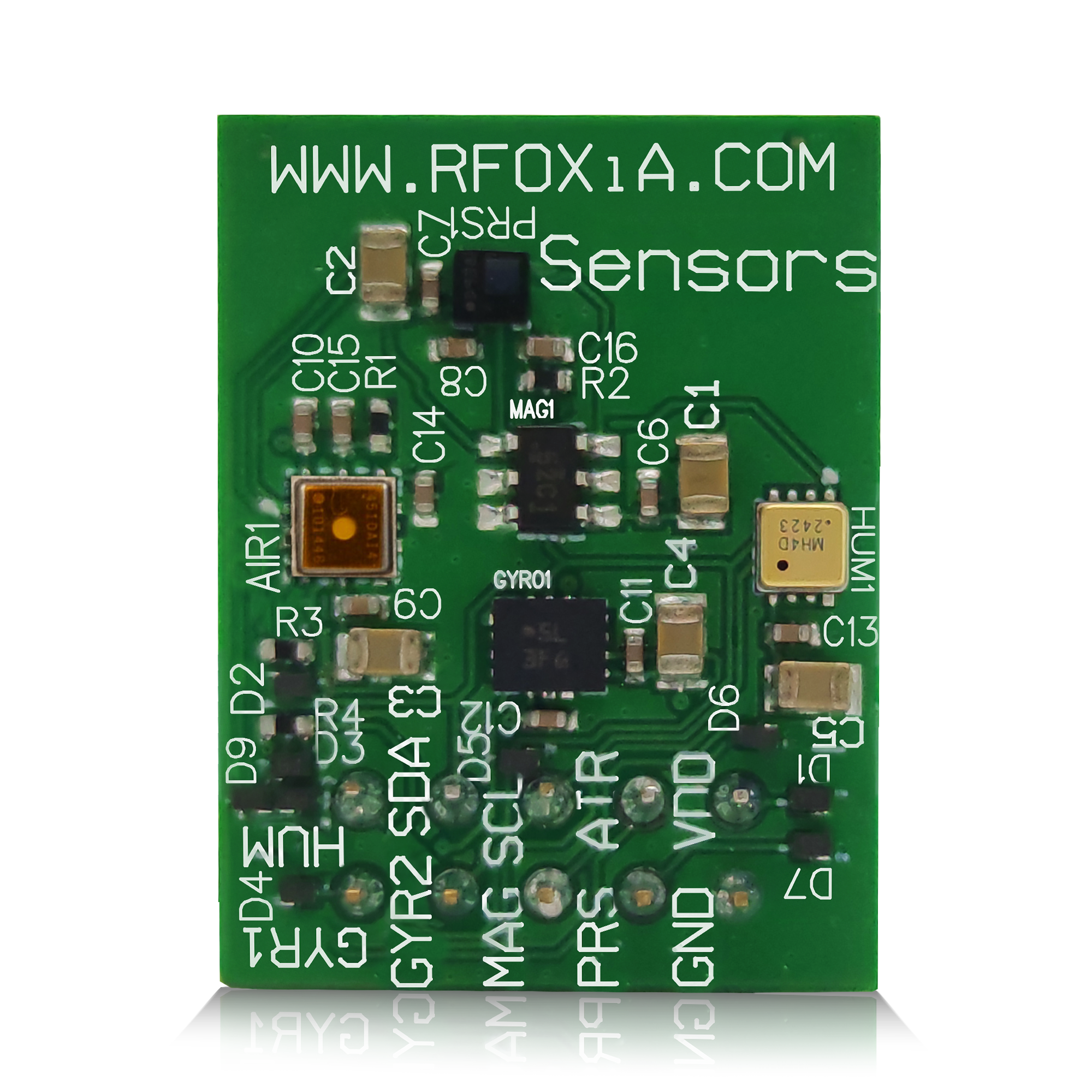
The Complete Sensor Stack: What You Actually Need
Before diving into implementation, it's worth understanding why each sensor category matters and what data it produces.
Motion Sensors: Accelerometer, Gyroscope, Magnetometer
These three form the classic 9-DOF (degrees of freedom) IMU stack. Each measures a different aspect of motion and orientation:
- Accelerometer measures linear acceleration on three axes. At rest, it measures gravitational acceleration — which gives you tilt angle. During motion, it captures vibration, impact, and movement.
- Gyroscope measures angular velocity — how fast something is rotating around each axis. Gyroscopes accumulate drift over time (gyroscopic drift), so they're most accurate for short-duration rotation measurements.
- Magnetometer measures the Earth's magnetic field on three axes, functioning as a compass. Critically, it doesn't drift like a gyroscope, but it's sensitive to local magnetic interference.
The real power comes from sensor fusion — combining accelerometer and gyroscope data using algorithms like Madgwick or Mahony filters to produce stable orientation estimates that don't drift. Adding the magnetometer provides absolute heading relative to magnetic north.
For drones, this fusion output is what feeds the flight controller. For robotics, it's what enables dead reckoning navigation. For wearables, it's what drives step counting and gesture recognition.
Environmental Sensors: Temperature, Humidity, Pressure
These three are the backbone of environmental IoT applications:
- Temperature is the most universally needed sensor output. It affects nearly every other system — battery performance, electronic component reliability, and biological processes all vary with temperature.
- Humidity (specifically relative humidity) matters for comfort monitoring, agricultural applications, and corrosion prediction in industrial environments.
- Air pressure (barometric pressure) enables altitude estimation, weather prediction, and HVAC optimization. Pressure drops predict incoming storms. Rapid pressure changes at altitude indicate ascent or descent rate.
Combined, these three sensors provide a complete picture of the thermal and atmospheric environment — far more useful than any single measurement alone.
Air Quality: The Overlooked Sensor
Air quality sensing is increasingly important and still underrepresented in maker-level hardware. A capable air quality sensor can detect volatile organic compounds (VOCs), oxidizing gases, and particulate-related chemical markers that signal combustion, pollution, or chemical contamination.
For smart buildings, knowing air quality drives ventilation decisions that directly impact occupant health. For industrial environments, early chemical detection prevents accidents. For consumer wearables, air quality awareness is the next frontier after fitness tracking.
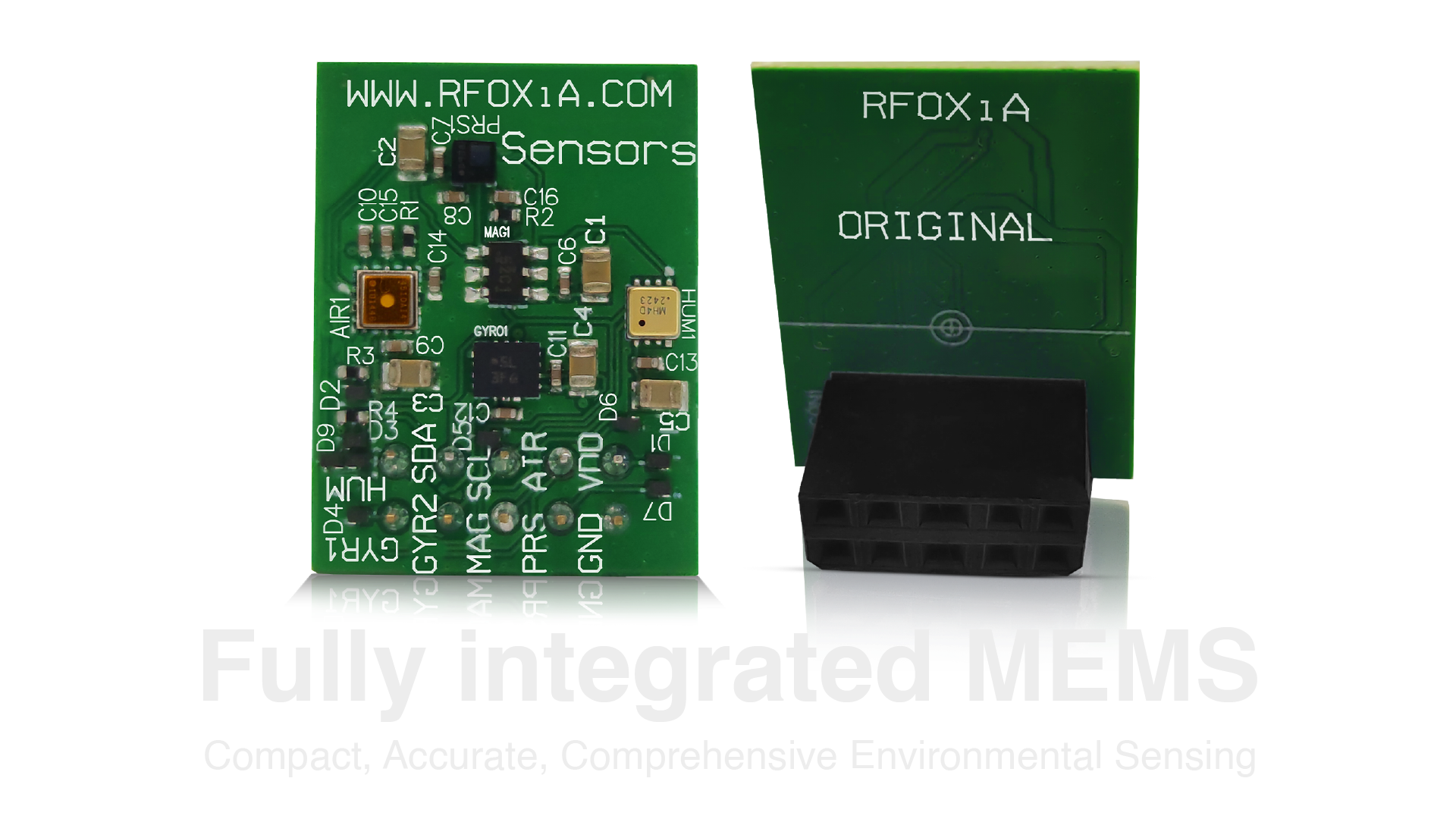
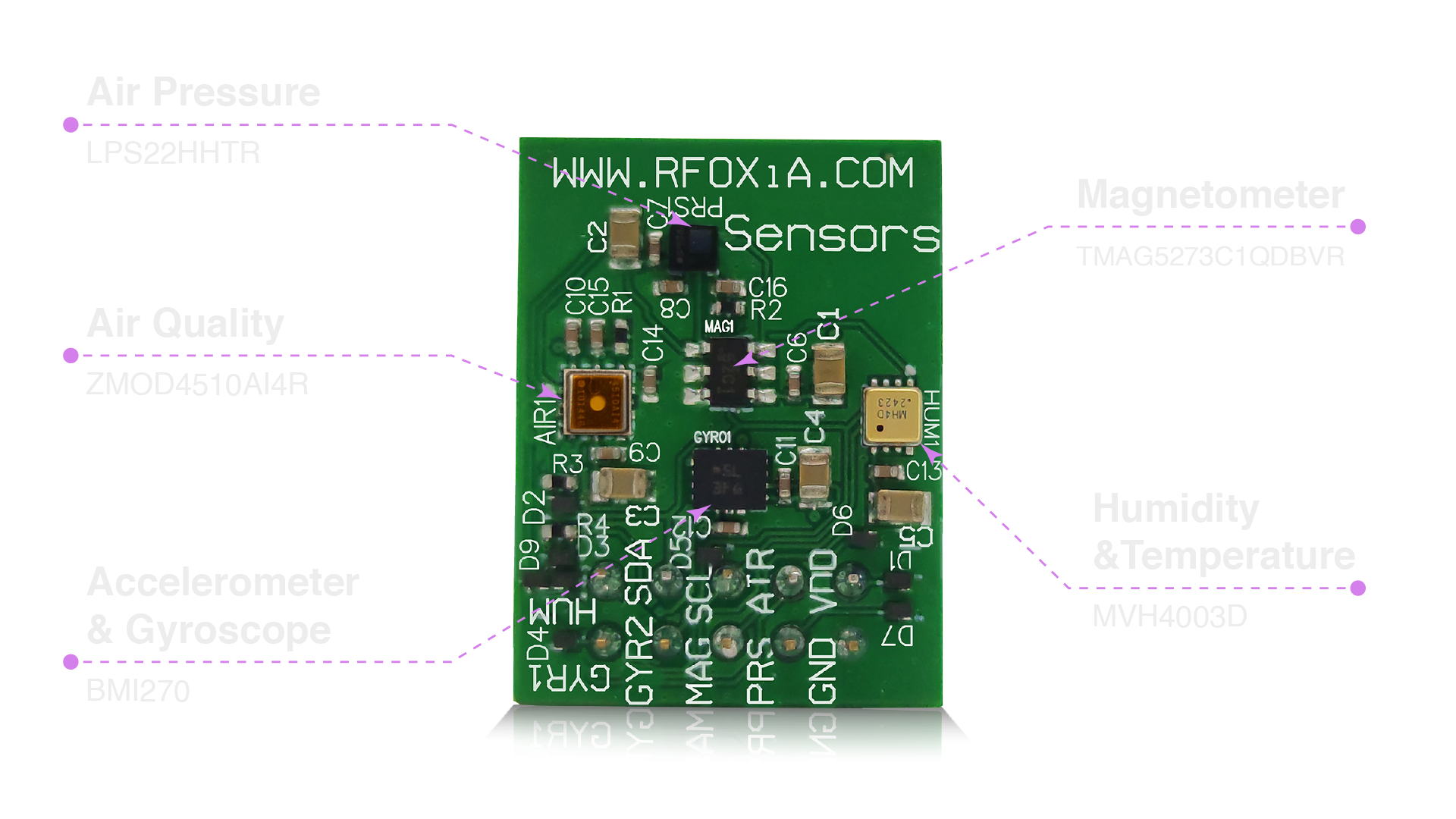
The Hardware: What's Inside the MultiNav Pro+ Sensors Module
RFOXiA didn't cut corners on component selection. Each sensor in the MultiNav Pro+ was chosen for professional-grade performance in demanding real-world conditions — not just for cost optimization.
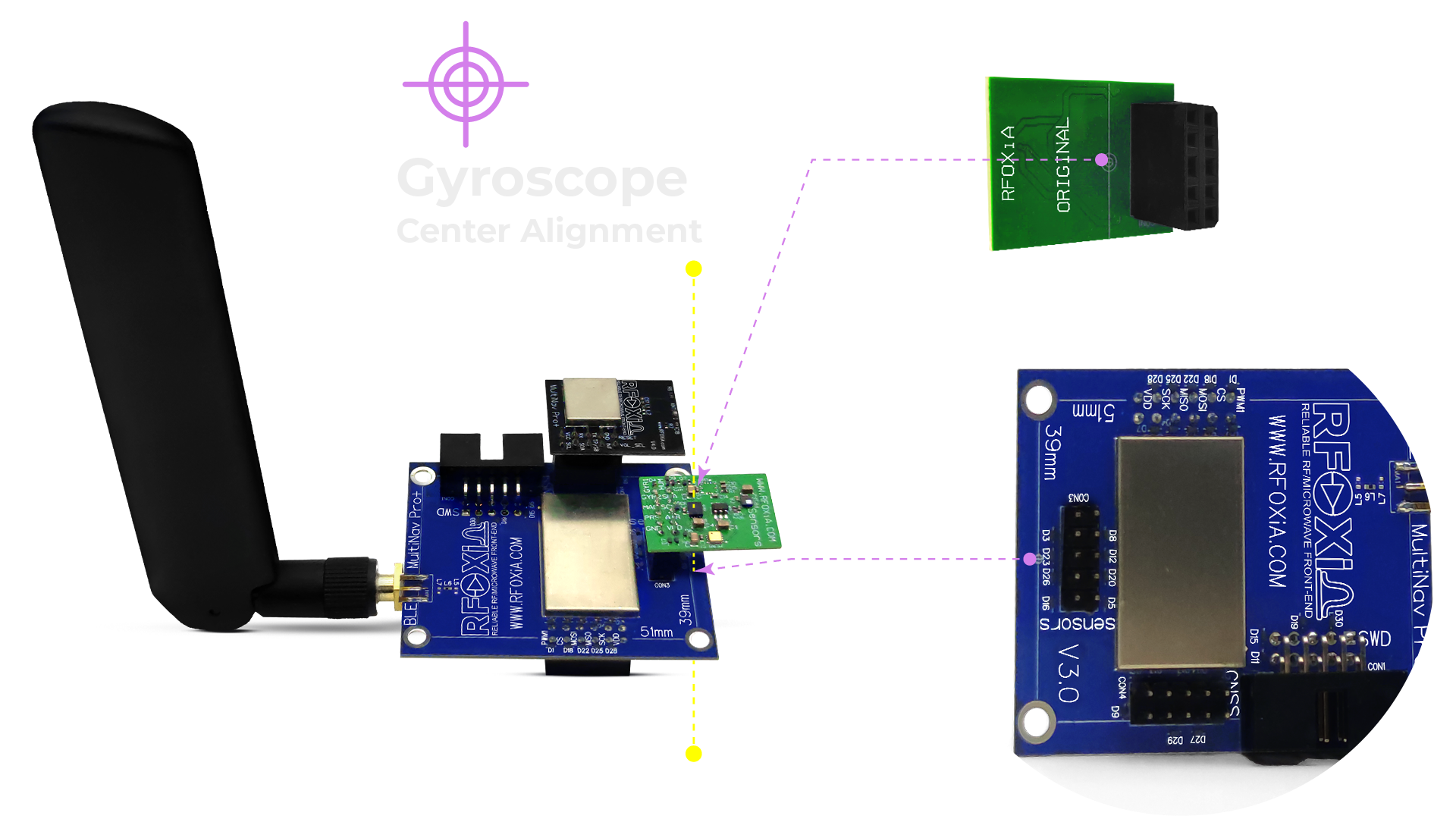
BMI270 — Accelerometer & Gyroscope (Bosch Sensortec)
The BMI270 is the same IMU used in professional sports wearables and high-end drone flight controllers. Its key advantages for IoT applications:
- Ultra-low noise floor — critical for detecting subtle motion events without false triggers
- Built-in step counter and gesture recognition in hardware — offloads computation from your MCU
- Configurable power modes — can run in ultra-low-power mode between measurement cycles, extending battery life dramatically
- Vibration rejection — specifically designed to reject high-frequency mechanical vibration that would corrupt readings in drone and industrial applications
- 400Hz output data rate — fast enough for demanding control loops
TMAG5273C1QDBVR — Magnetometer (Texas Instruments)
TI's TMAG5273 is a Hall-effect magnetic field sensor with 12-bit resolution and a configurable measurement range. What sets it apart:
- I2C interface with configurable address — a critical feature in multi-sensor designs
- Magnetic tamper detection — useful for security applications
- Wide temperature range — maintains accuracy from -40°C to 125°C, essential for outdoor IoT deployments
- CRC error checking on I2C — catches data corruption at the bus level
LPS22HHTR — Air Pressure (STMicroelectronics)
ST's LPS22HH is a MEMS absolute pressure sensor rated to ±0.1 hPa typical accuracy — sufficient to detect altitude changes of less than one meter. Key specs:
- Output data rate up to 200Hz — enables real-time altitude tracking on fast-moving platforms
- Ultra-compact footprint — 2x2mm package doesn't add bulk to your design
- Waterproof gel cap option — for outdoor-exposed deployments
- Embedded FIFO buffer — stores up to 128 pressure samples without MCU intervention
MVH4003D — Humidity & Temperature (MEMSVision)
MEMSVision's MVH4003D delivers ±2% RH accuracy across a 0-100% humidity range with ±0.3°C temperature accuracy — performance specifications that rival sensors costing significantly more as standalone components.
ZMOD4510AI4R — Air Quality (Renesas)
The ZMOD4510 from Renesas is an outdoor air quality sensor specifically designed to measure nitrogen dioxide (NO2) and ozone (O3) — two of the most significant outdoor pollution markers. Unlike cheaper MOX sensors that give a generic "air quality index" without specificity, the ZMOD4510 provides:
- EPA AQI calculation in hardware
- Selective detection of oxidizing gases (NO2, O3) vs. reducing gases
- Temperature-compensated measurements — humidity and temperature correction built into the signal chain
- Ultra-low power consumption — 5.6µA average current in standard measurement mode
How to Read Sensor Data IoT Systems Require: The I2C Protocol Deep Dive
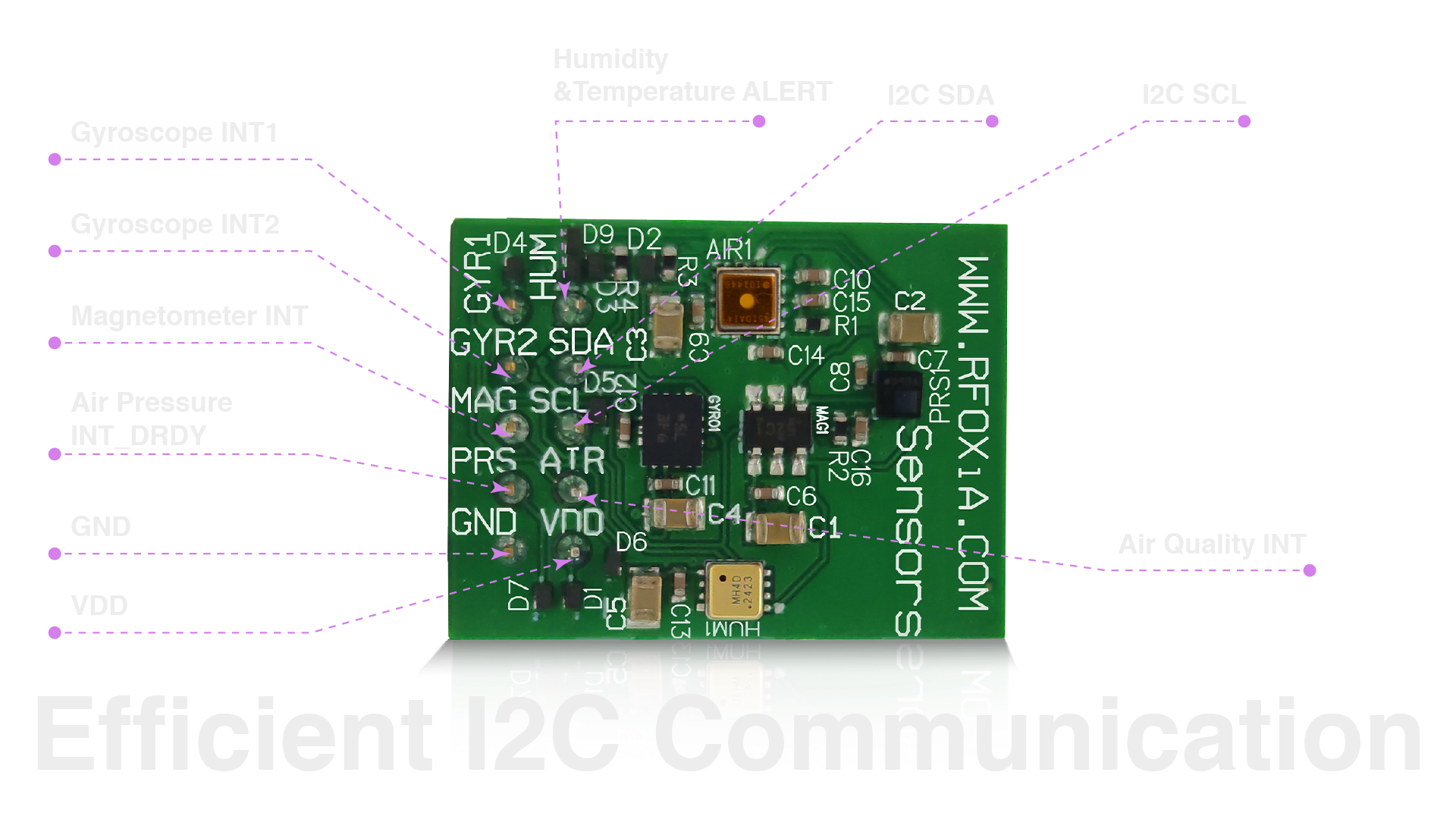
Understanding how to read sensor data IoT applications depend on starts with the communication protocol. The MultiNav Pro+ uses I2C (Inter-Integrated Circuit) for all seven sensors — which is by design, not compromise.
Why I2C Is the Right Choice for Multi-Sensor Modules
I2C uses only two wires — SDA (data) and SCL (clock) — regardless of how many devices are on the bus. This is why it's the dominant choice for sensor integration: a single pair of traces on your PCB can serve an entire sensor ecosystem.
Each device on the I2C bus has a unique 7-bit address. The master (your microcontroller) initiates all transactions by broadcasting an address. Only the device with that address responds. This prevents collisions — as long as no two devices share the same address.
The Read Sequence
A typical I2C sensor read follows this sequence:
- START condition — SDA pulled low while SCL is high, signaling bus acquisition
- Address frame — 7-bit device address + R/W bit transmitted
- ACK bit — target device acknowledges by pulling SDA low
- Register address — which register you want to read from
- Repeated START — transition from write to read mode
- Data bytes — sensor transmits requested bytes
- NACK + STOP — master signals end of transaction
In code (pseudocode for clarity):
i2c_start();
i2c_write(SENSOR_ADDRESS << 1 | WRITE);
i2c_write(REGISTER_ADDRESS);
i2c_repeated_start();
i2c_write(SENSOR_ADDRESS << 1 | READ);
data = i2c_read(NACK);
i2c_stop();
Most sensor libraries abstract this entirely — you call sensor.readTemperature() and get a float. But understanding the underlying protocol is what separates developers who debug quickly from those who stay stuck.
I2C Speed and Bus Capacitance
The MultiNav Pro+ is designed to operate at standard 400kHz Fast Mode I2C. A key consideration for multi-sensor buses is bus capacitance — longer traces and more devices increase capacitance, which slows rise times and limits maximum reliable speed. At 24mm × 18mm, the MultiNav Pro+ keeps trace lengths minimal, which means bus capacitance stays well within Fast Mode specifications.
Reading Each Sensor Type: Implementation Patterns
Polling vs. Interrupt-Driven Reads
For most environmental sensors (temperature, humidity, pressure, air quality), polling works fine. These sensors update at 1-10Hz — fast enough for environmental monitoring, slow enough that polling overhead is negligible.
For motion sensors (accelerometer, gyroscope), interrupt-driven reads are strongly preferred in demanding applications. The BMI270 in the MultiNav Pro+ has dedicated interrupt output pins. Configure the sensor to assert its interrupt line when new data is ready, then read in your interrupt service routine. This eliminates polling latency and ensures you never miss a sample.
Sensor Fusion: Getting Orientation from IMU Data
Raw accelerometer and gyroscope data is rarely what your application needs. You need orientation — typically expressed as Euler angles (roll, pitch, yaw) or quaternions.
The Madgwick filter is the most widely implemented sensor fusion algorithm in the maker community, and for good reason: it's computationally lightweight, numerically stable, and produces excellent results with a single tuning parameter (beta, the filter gain).
Implementation overview:
- Read accelerometer (ax, ay, az) and gyroscope (gx, gy, gz) at a fixed sample rate (e.g., 100Hz)
- Pass to Madgwick filter update function
- Retrieve quaternion output
- Convert quaternion to Euler angles if needed
- Add magnetometer (mx, my, mz) to the update function for absolute heading
With the TMAG5273 magnetometer and BMI270 IMU both present on the MultiNav Pro+, you have everything needed for complete 9-DOF fusion without any additional hardware.
Environmental Data Processing
Environmental sensor outputs typically require two steps after the raw read:
- Unit conversion — raw ADC counts to engineering units (°C, %RH, hPa)
- Cross-compensation — correcting humidity for temperature, correcting pressure for temperature
The LPS22HH pressure sensor's output is already compensated in hardware. The MVH4003D humidity sensor requires a simple temperature compensation formula provided in its datasheet. The ZMOD4510 air quality sensor performs its own compensation internally, outputting a calibrated AQI value directly.
This means your application code deals with clean, calibrated sensor values — not raw counts requiring custom calibration curves.
Compact Design for Real-World Deployment
Knowing how to read sensor data IoT projects need is only half the challenge — you also need hardware that physically fits in your application.
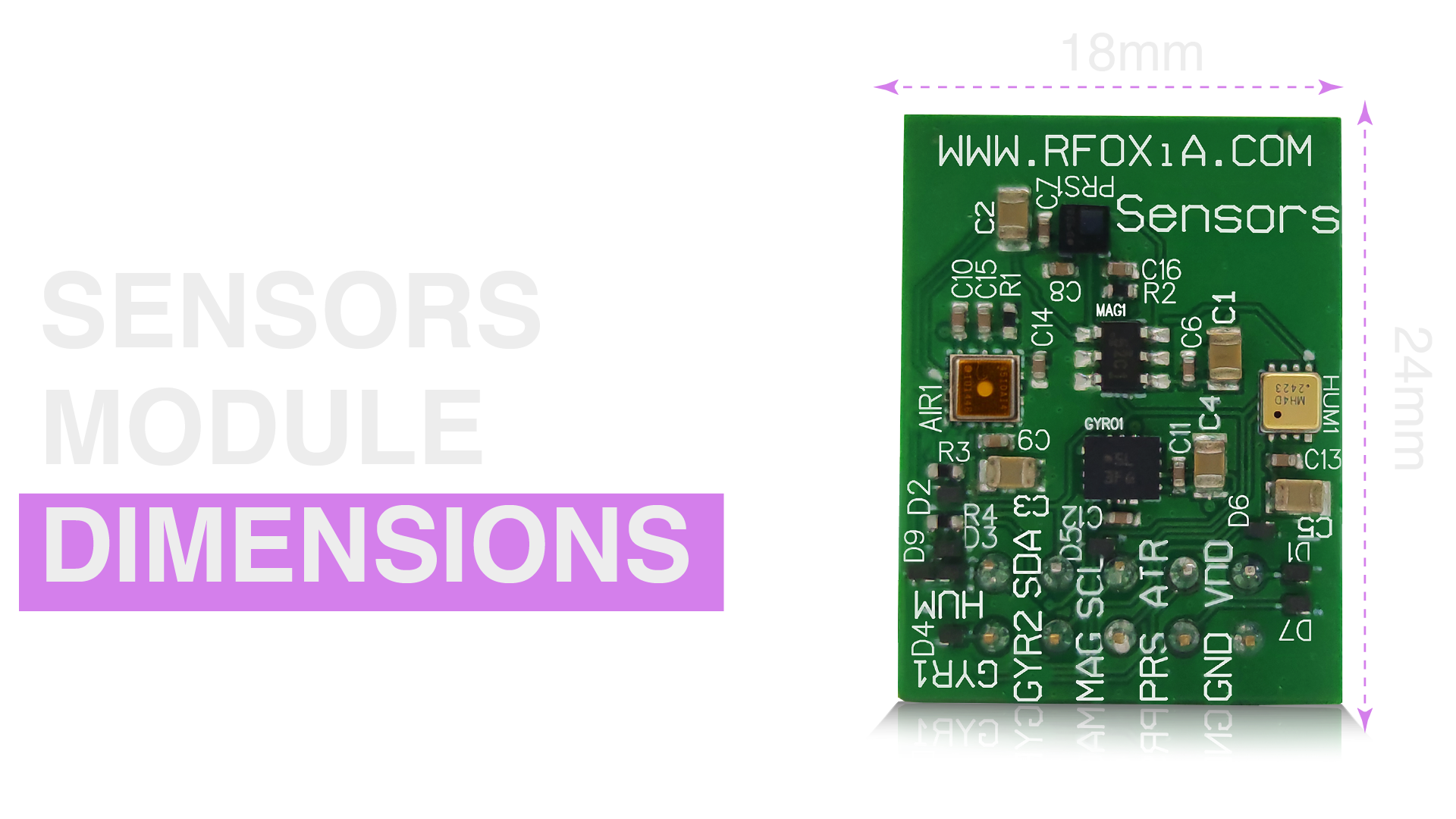
At 24mm × 18mm, the MultiNav Pro+ Sensors Module fits comfortably in applications where space is genuinely constrained:
- FPV drone frame: The module fits in any standard 20mm or 25mm stack footprint, between ESC and flight controller
- Compact robotics: Mounts directly on 3D-printed frames without structural modification
- Wearable devices: Small enough to integrate into wristbands, chest straps, or helmet mounts
- Industrial enclosures: Fits standard DIN rail enclosure PCB slots
The compact footprint doesn't come at the cost of connector accessibility. The module breaks out I2C, power, and interrupt lines on headers that work with standard jumper wires and JST connectors.
Real-Time Data: From Sensor to Application
The goal of all this sensor infrastructure is real-time environmental awareness — data your application can act on immediately.
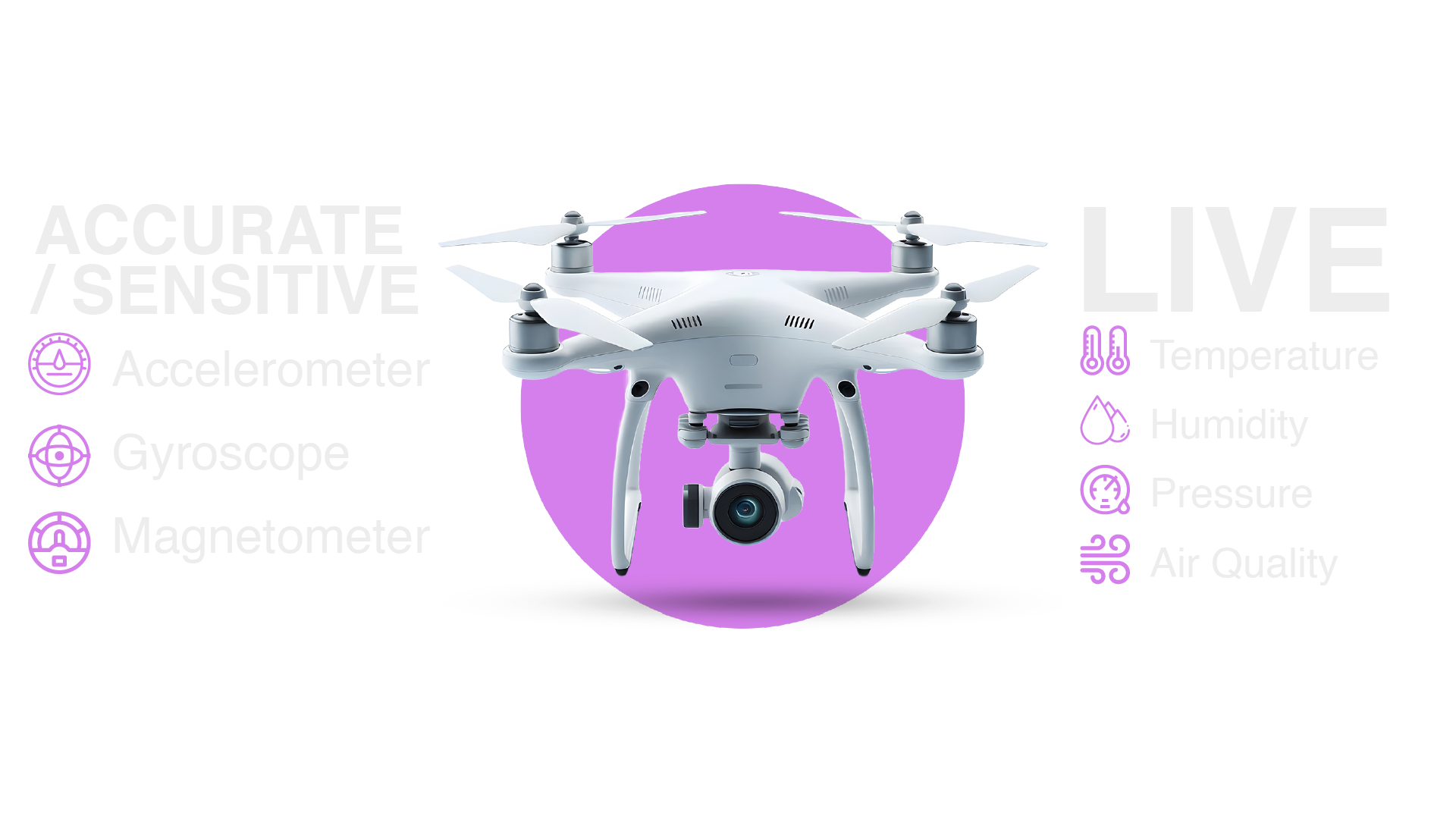
With the MultiNav Pro+ integrated into the broader RFOXiA ecosystem, real-time data flows like this:
- Sensors Module reads all seven sensors via I2C at configured rates
- BLE Module (MultiNav Pro+ Long-Range BLE) transmits data wirelessly — up to 5km ground-to-ground
- RFOXiA Connect App receives data and displays live readings on the sensor dashboard
- RFOXiA Club Command Center shows live streaming sessions with historical visualization
For distributed networks — multiple sensor nodes deployed across a field or building — data from each node can be aggregated into the RFOXiA data network, where it contributes to a high-resolution environmental dataset. Verified data contributors earn daily rewards through the platform's built-in monetization layer.
This is what separates a sensor module from a sensor platform. The RFOXiA Integrated Sensors Module isn't just a breakout board — it's a node in a live, monetized data network.
Application Domains: Where This Sensor Stack Shines
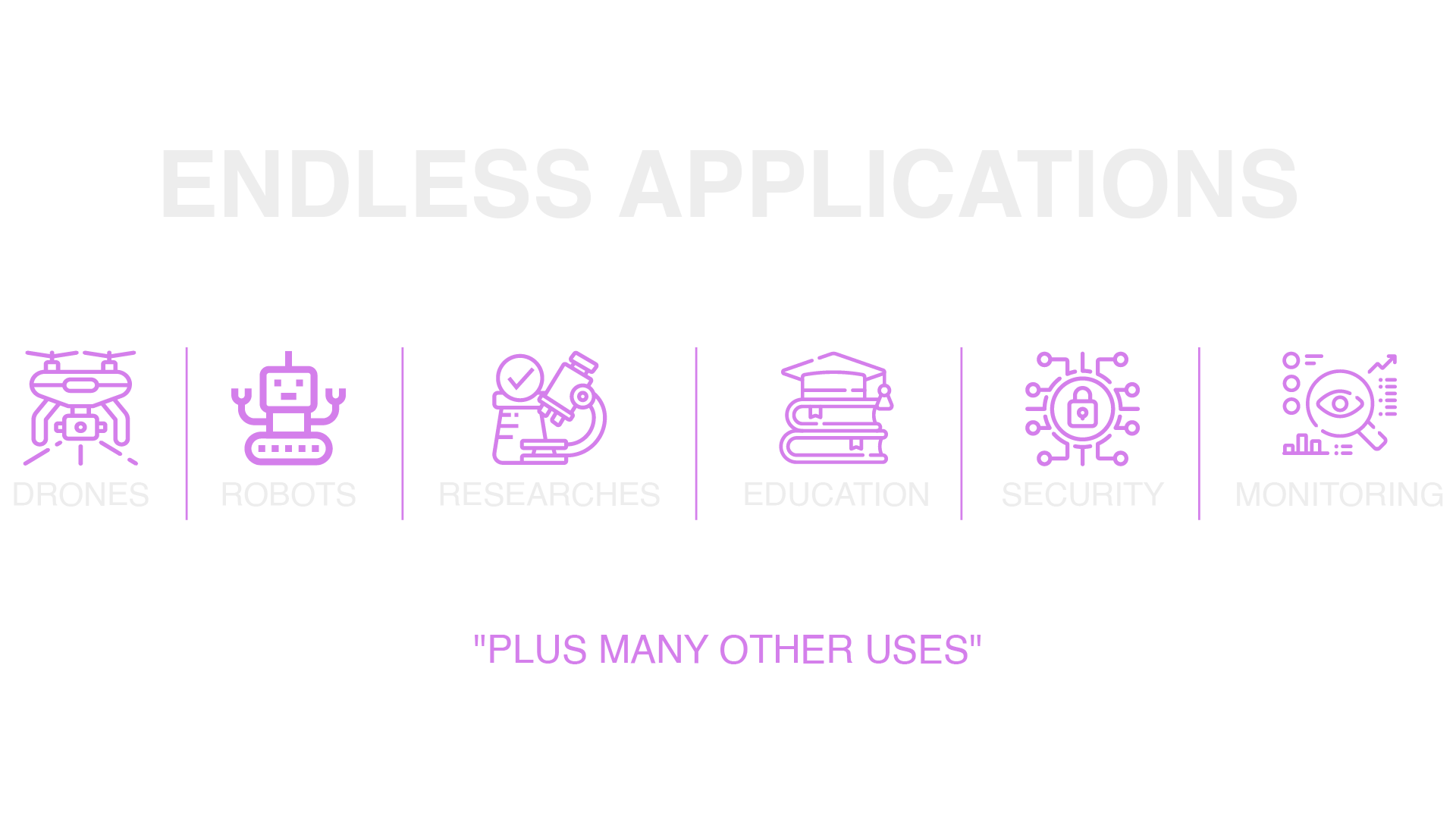
Drone and UAV Applications
For drone builders, the sensor stack addresses multiple system requirements simultaneously:
- IMU data (BMI270) feeds into flight stabilization and attitude estimation
- Barometric pressure (LPS22HH) provides altitude hold capability without GPS dependency
- Environmental data enables payload-aware flight planning — knowing temperature and humidity at altitude
- Air quality (ZMOD4510) enables environmental inspection missions
Combined with the MultiNav Pro+ BLE Module's 15-20km man-to-drone range, the sensor data streams directly to your phone without any intermediate infrastructure.
Industrial IoT and Environmental Monitoring
- Factory floor monitoring: Temperature and humidity for equipment protection, air quality for worker safety compliance
- Cold chain logistics: Temperature verification throughout storage and transport
- Agricultural monitoring: Microclimate data at field level — soil-level temperature, canopy humidity, growing degree day calculation
- Smart building HVAC optimization: Real-time indoor air quality drives ventilation decisions
Research and Data Collection
For academic and citizen science applications, the MultiNav Pro+ provides research-grade data collection at a price point that enables large-scale distributed deployment. A researcher who previously needed a $2,000 weather station per node can now deploy a complete sensor node for $39 — enabling networks of hundreds of nodes for the cost of a single legacy system.
Wearables and Personal Environmental Monitoring
- Activity tracking with 9-DOF motion data
- Personal air quality monitoring for urban commuters
- Environmental logging for field workers and outdoor athletes
- Medical monitoring applications requiring environmental context
Integrating With the RFOXiA Ecosystem
The MultiNav Pro+ Sensors Module is designed to work standalone — but it's engineered to work best as part of the complete RFOXiA wireless development ecosystem:
With the BLE Module: Sensor data transmitted wirelessly at long range without any router, tower, or internet connection. Real-time streaming to the RFOXiA Connect app on your phone at up to 20km man-to-device range.
With the GNSS Module: GPS location tags every sensor reading with precise geographic coordinates, enabling time-stamped, location-verified environmental datasets.
With the Power/Program Kit: The supercapacitor-based power system charges in 5 minutes and runs the complete sensor stack for 24 hours — enabling fully autonomous field deployment without battery anxiety.
With the Developer Bundle: All four modules together create a complete wireless sensing platform that goes from unboxing to live data streaming in hours, not weeks. The RFOXiA Club's AI Firmware Builder generates production-ready firmware for custom applications from a plain-language description.
For developers who want to understand how to read sensor data IoT applications require across every dimension — and then actually deploy that capability at professional range — the RFOXiA Integrated Sensors Module is the most complete single-module solution available at this price point.
Getting Started: Your First Sensor Read
For developers new to the MultiNav Pro+, the recommended getting-started sequence:
- Connect the module to your development board via I2C (SDA, SCL, 3.3V, GND)
- Scan the I2C bus to confirm all seven sensor addresses are visible (
i2c_scannersketch for Arduino,i2cdetectfor Linux-based platforms) - Install the relevant sensor libraries (BMI270, LPS22HH, etc. — all available through Arduino Library Manager or PlatformIO)
- Read each sensor independently to verify baseline values
- Implement sensor fusion for the IMU if your application requires orientation data
- Integrate into your application's main loop with appropriate sampling rates per sensor
For those using the RFOXiA ecosystem directly, the AI Firmware Builder in RFOXiA Club can generate the complete initialization and read loop code from a description of your application — cutting hours of library hunting and initialization debugging down to minutes.
FCC-certified and ready to ship, the RFOXiA Integrated Sensors Module is the foundation of serious IoT sensor work.
Conclusion
Mastering how to read sensor data IoT systems need — across motion, environmental, and atmospheric domains — requires both the right hardware and a clear understanding of the signal chain from silicon to application. The MultiNav Pro+ Sensors Module from RFOXiA solves the hardware problem definitively: seven professional-grade sensors, unified I2C bus with resolved address conflicts, in a 24mm × 18mm footprint at $39.
For builders who are serious about sensor integration — whether you're building drones, deploying environmental networks, or developing industrial IoT applications — this isn't a compromise solution. It's the sensor stack professional hardware engineers would specify if they were designing it themselves.
Build the thing you've been planning. The sensors are ready.
Written by: Moamen Mohamed LinkedIn