
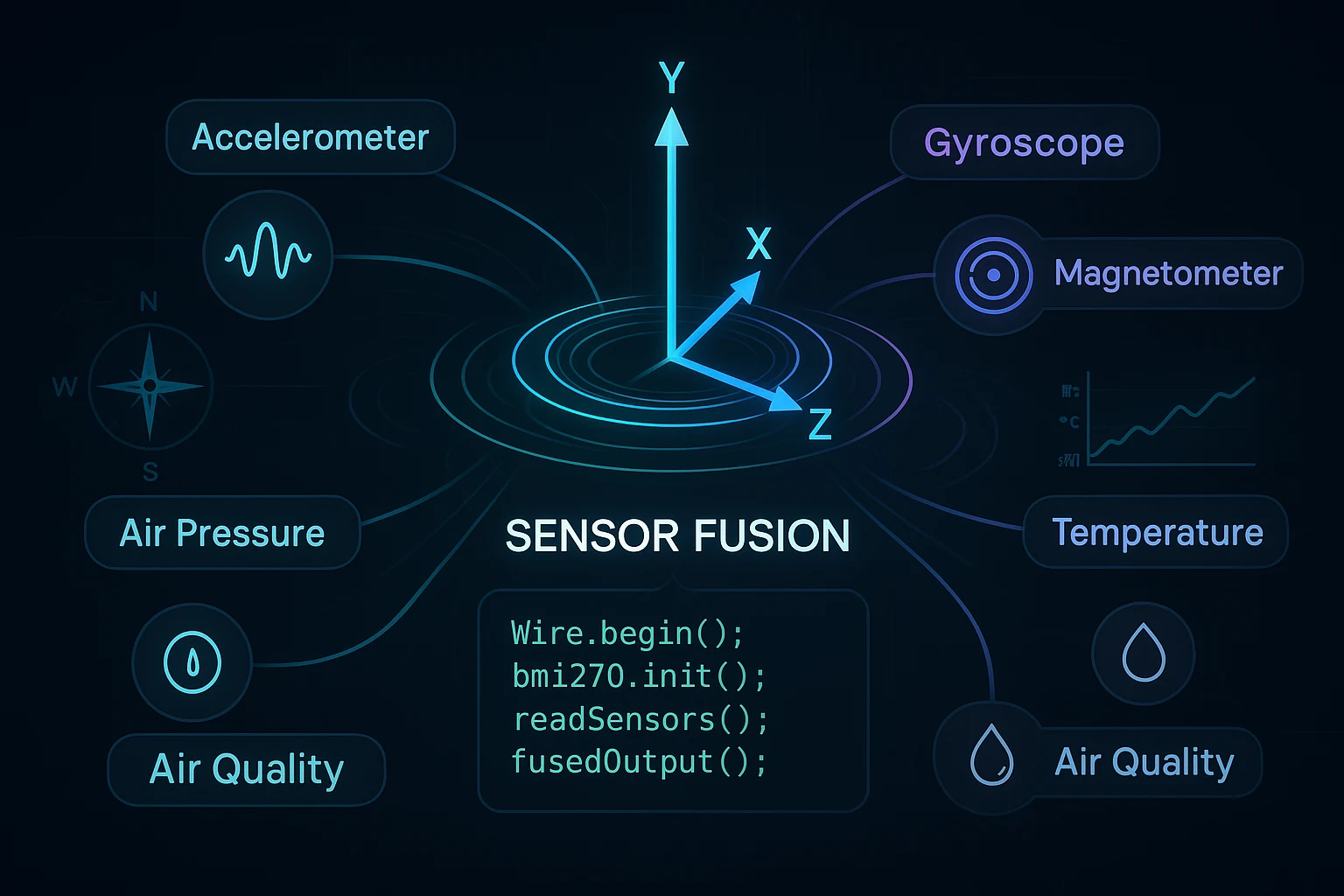
Sensor Fusion Tutorial Arduino: Build Smarter Projects with 7 Sensors in One Module
RFOXiA Integrated Sensors Module
The Complete Sensor Fusion Tutorial Arduino Developers Have Been Waiting For
If you have ever tried to build a drone stabilization system, an environmental monitoring node, or a precision robotics platform using Arduino, you already know the pain: sourcing five different sensor breakout boards, wiring them all onto a breadboard, managing I2C address conflicts, debugging noise from poorly shielded components, and spending days writing initialization code before you even get to your actual application logic.
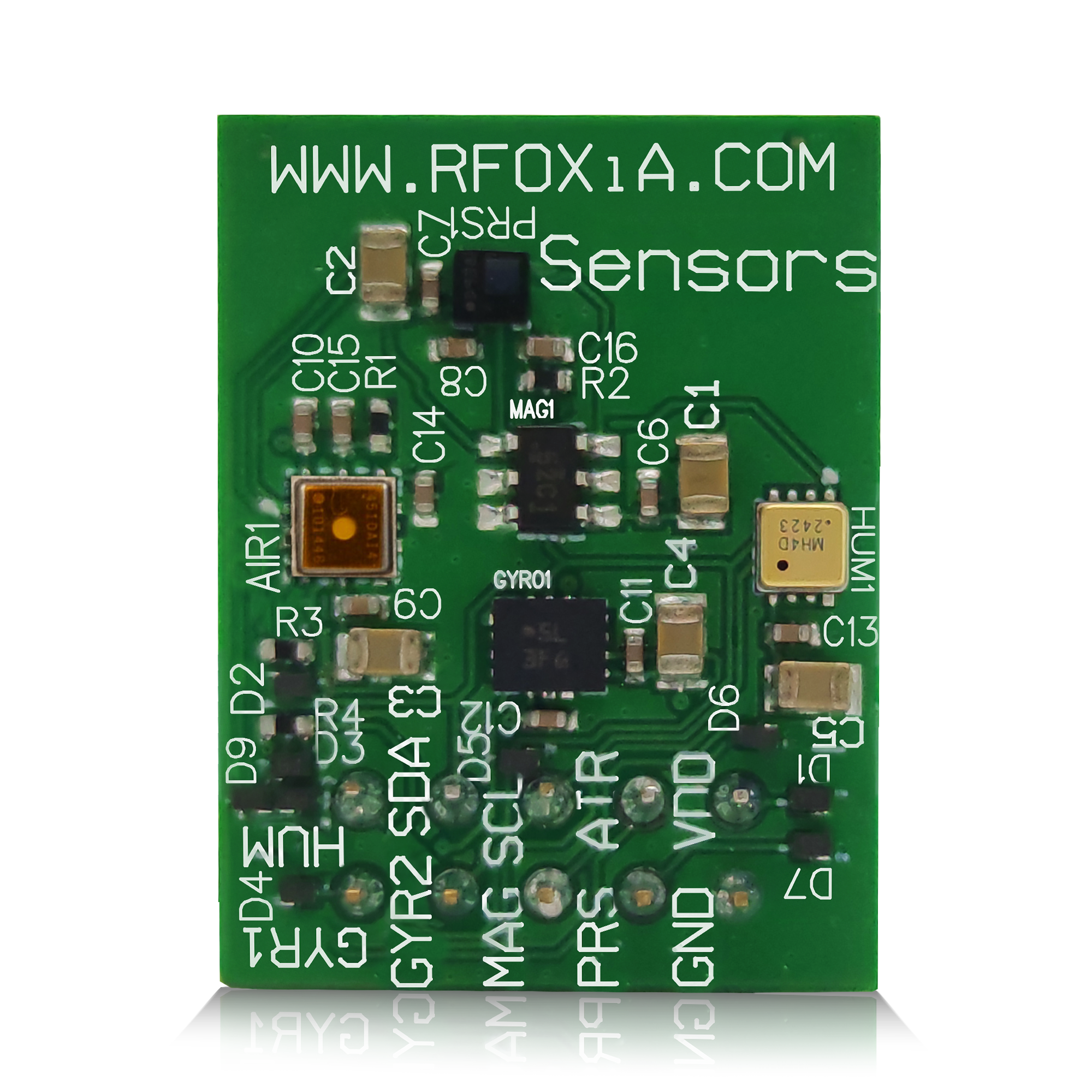
This sensor fusion tutorial Arduino guide is designed to change that experience entirely. We are going to walk through everything — from the fundamentals of sensor fusion theory, to practical code implementation, to hardware selection — using a real-world module that puts seven professional-grade sensors on a single 24mm × 18mm board.
Whether you are a hobbyist building your first IMU-based project or a professional engineer prototyping an IoT node for deployment, this guide gives you everything you need to understand sensor fusion deeply and implement it immediately.
What Is Sensor Fusion and Why Does It Matter?
Sensor fusion is the process of combining data from multiple sensors to produce a result that is more accurate, reliable, and informative than any single sensor could provide alone. The concept comes from aerospace and military engineering, but it has become essential in consumer electronics, robotics, drones, and IoT systems.
Consider a drone trying to maintain stable hover. An accelerometer alone gives you linear acceleration, but it is noisy and drifts over time. A gyroscope gives you angular rate, but it also accumulates drift. A magnetometer gives you absolute heading, but it is sensitive to electromagnetic interference. A barometer gives you altitude, but it responds slowly to rapid changes. None of these sensors is sufficient on its own — but fused together, they produce a stable, accurate, real-time picture of orientation, position, and altitude that makes stable autonomous flight possible.
The same logic applies across dozens of application domains:
- Environmental monitoring: Combining temperature, humidity, pressure, and air quality data creates a richer picture of atmospheric conditions than any single reading.
- Wearable devices: Fusing accelerometer and gyroscope data enables step counting, activity classification, and fall detection.
- Robotics: Magnetometer plus gyroscope plus accelerometer enables accurate heading estimation for navigation without GPS.
- Smart agriculture: Combining air quality, temperature, humidity, and pressure data enables micro-climate modeling at field level.
The Core Challenge: Why Most Sensor Fusion Arduino Projects Fail Early
Most makers attempting a sensor fusion tutorial Arduino project hit the same wall: hardware complexity before they ever reach algorithm complexity.
Typical problems include:
- I2C address conflicts — When you put four or five sensors on the same I2C bus, many share default addresses. You end up needing address remapping hardware or software multiplexers.
- Power supply noise — Each sensor has different power requirements and noise characteristics. Without proper decoupling and layout, sensor readings corrupt each other.
- Wiring mess — Breadboard connections across five breakout boards introduce resistance variation, intermittent contacts, and antenna effects that ruin high-frequency sensor data.
- Library conflicts — Mixing libraries for sensors from different manufacturers often produces namespace collisions and interrupt conflicts.
- Time synchronization — When sensors are polled at different rates through different libraries, timestamp alignment becomes a serious algorithmic challenge before you even begin fusion.
The most efficient path through all of these problems is to start with hardware designed for integration from the beginning.
Hardware Foundation: The MultiNav Pro+ Sensors Module
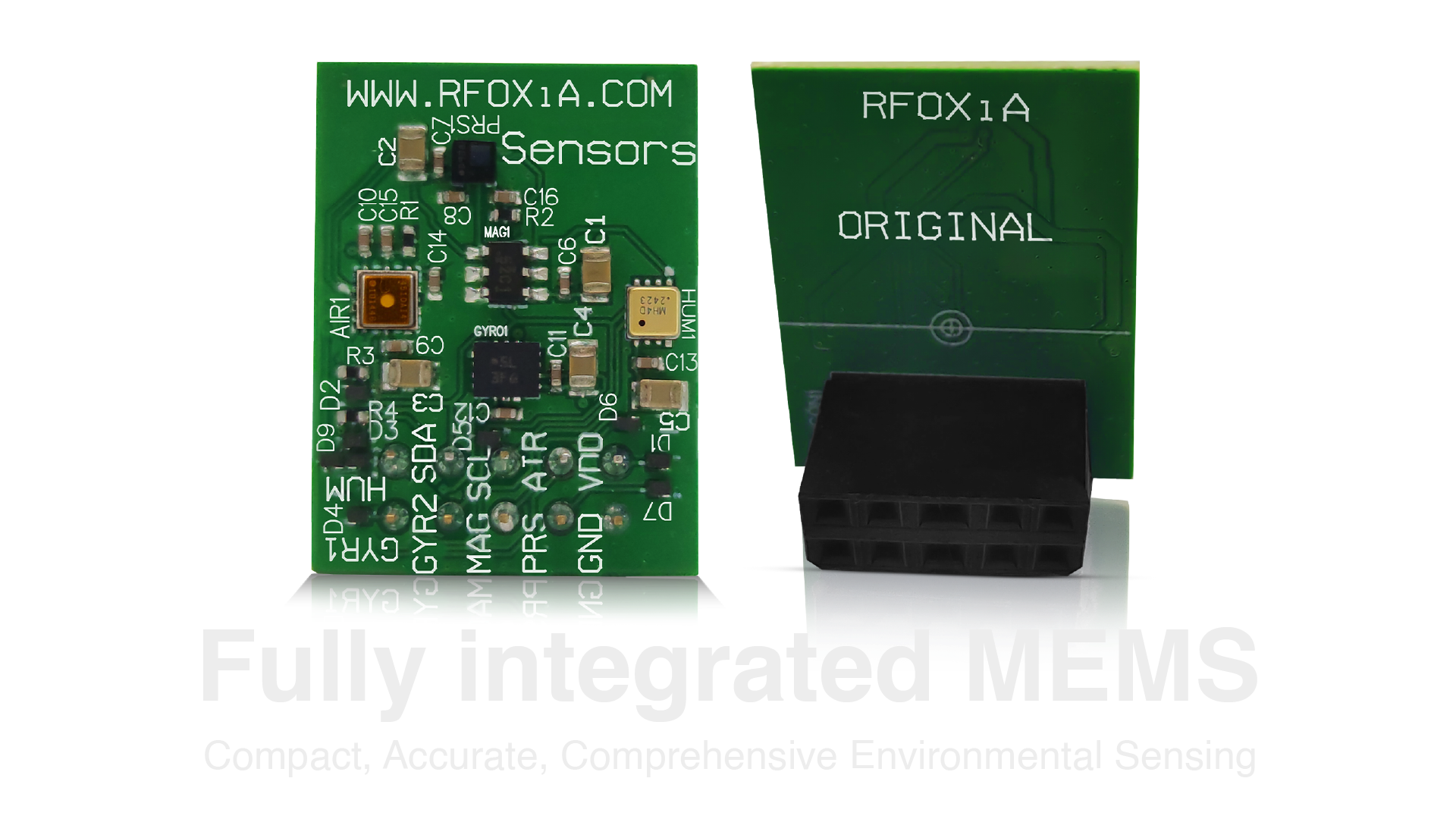
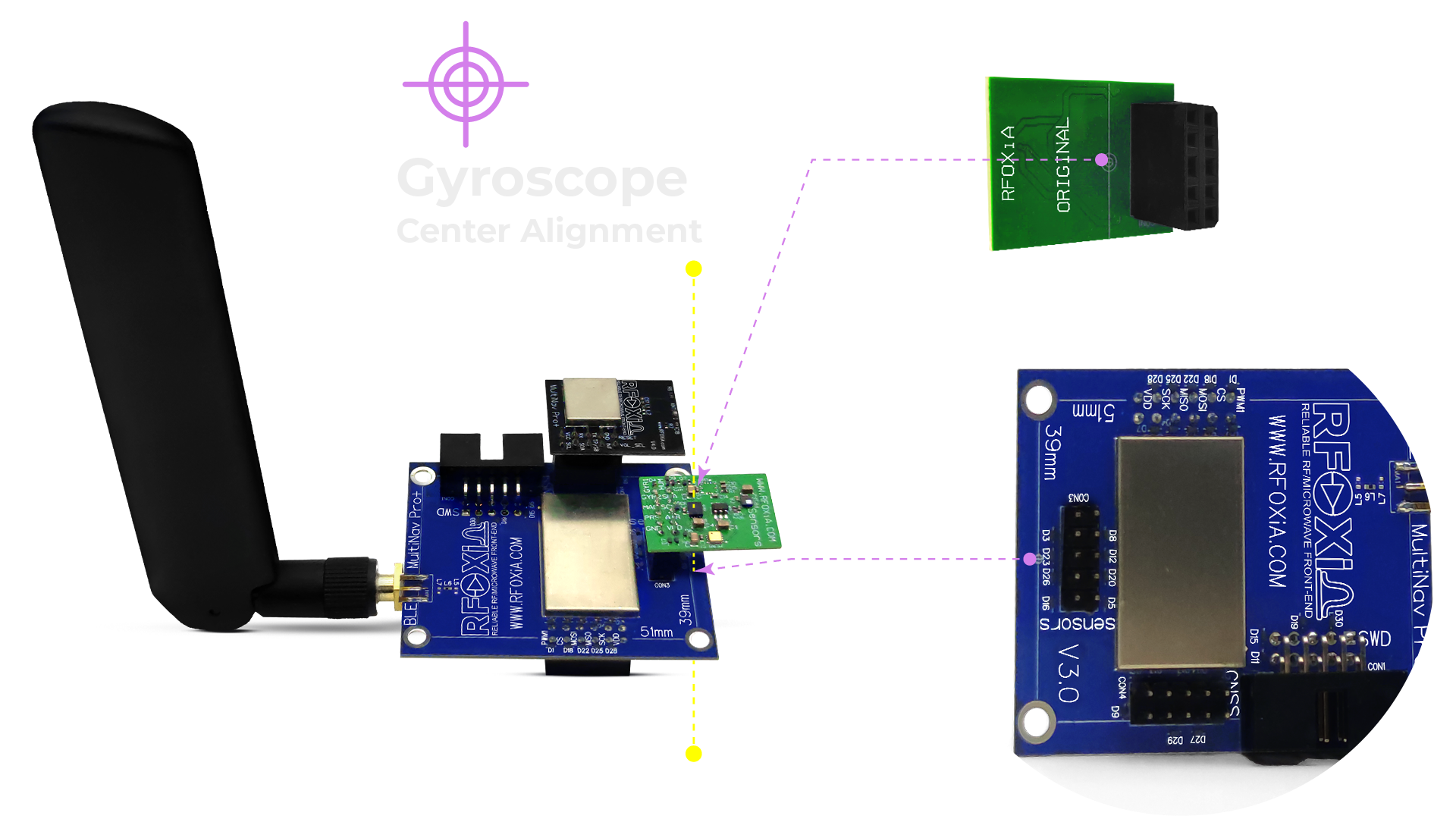
The RFOXiA Integrated Sensors Module is built around exactly this philosophy. Seven sensors, engineered together on a single 24mm × 18mm PCB, sharing a single I2C line with dedicated addresses and optimized layout — so you start at the algorithm, not the wiring diagram.
The Seven Sensors
Here is a breakdown of every sensor on the module and why each was chosen:
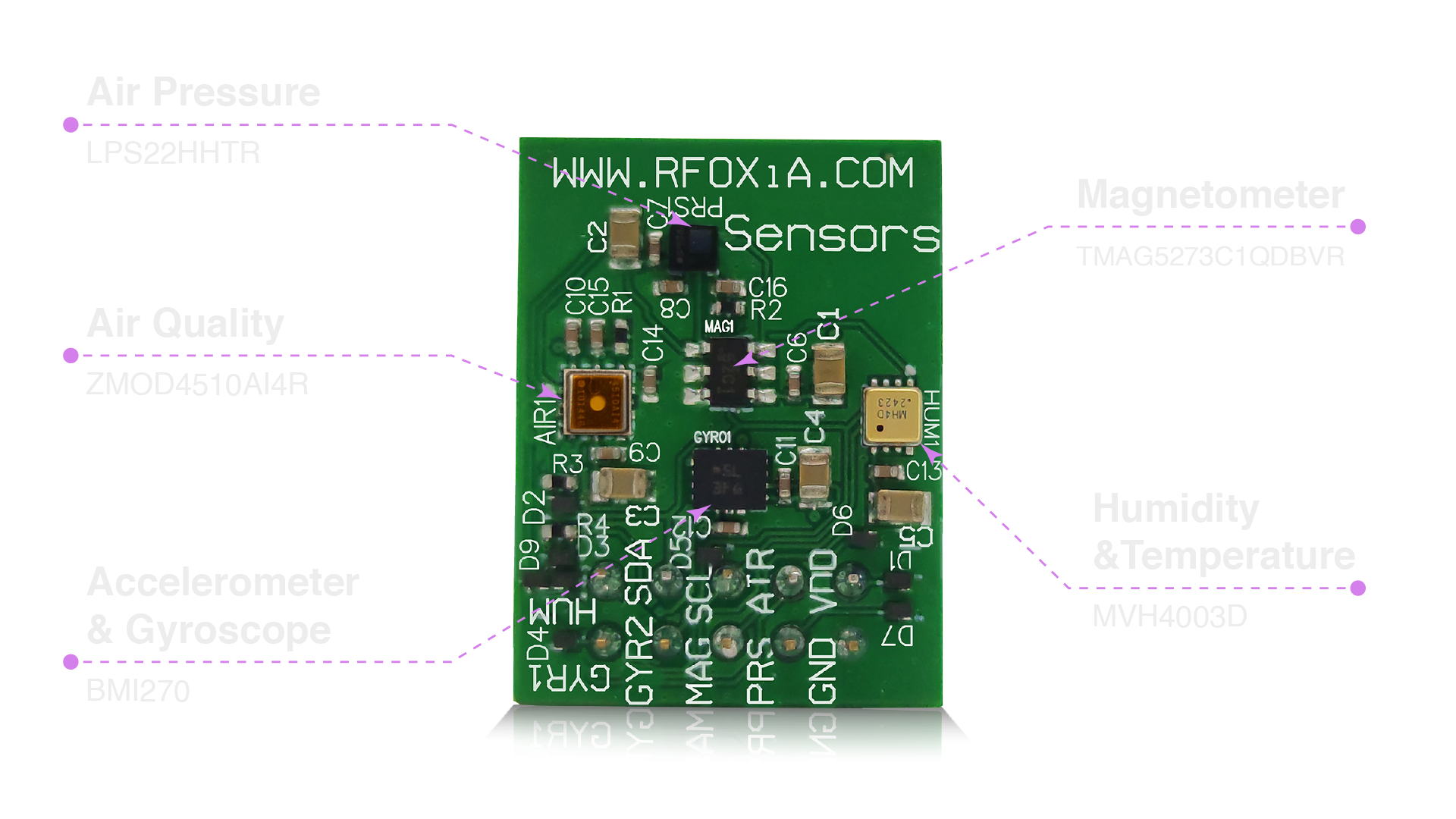
1. Accelerometer + Gyroscope: BMI270 from Bosch Sensortec The BMI270 is the same IMU class used in professional drone flight controllers and sports wearables. It delivers low-noise 6-axis motion data with hardware interrupt support and built-in step counting and gesture recognition capabilities. For any sensor fusion application involving orientation or motion, this is your primary data source.
2. Magnetometer: TMAG5273C1QDBVR from Texas Instruments This 3-axis Hall-effect magnetic sensor provides absolute heading reference with exceptionally low noise. In sensor fusion applications, it prevents gyroscope heading drift over long operating periods — critical for navigation systems and any application requiring absolute orientation rather than relative rotation.
3. Air Pressure: LPS22HHTR from STMicroelectronics The LPS22HH is a 24-bit MEMS barometric pressure sensor capable of altitude resolution down to 10cm. For drone altitude hold, weather station applications, and indoor navigation, this sensor provides the vertical reference that GPS alone cannot.
4. Humidity + Temperature: MVH4003D from MEMSVision A precision capacitive humidity and temperature sensor. When fused with pressure data, you get full atmospheric state — dew point, absolute humidity, heat index — all computable in real time on an Arduino or embedded processor.
5. Air Quality: ZMOD4510AI4R from RENESAS The ZMOD4510 is a metal oxide semiconductor gas sensor tuned for outdoor air quality monitoring, measuring ozone and nitrogen dioxide concentrations. This moves your project from simple weather monitoring into real environmental intelligence.
I2C Architecture: Why It Matters for Sensor Fusion Arduino Projects
One of the most common failure points in multi-sensor Arduino projects is I2C bus management. The MultiNav Pro+ Sensors Module solves this elegantly.
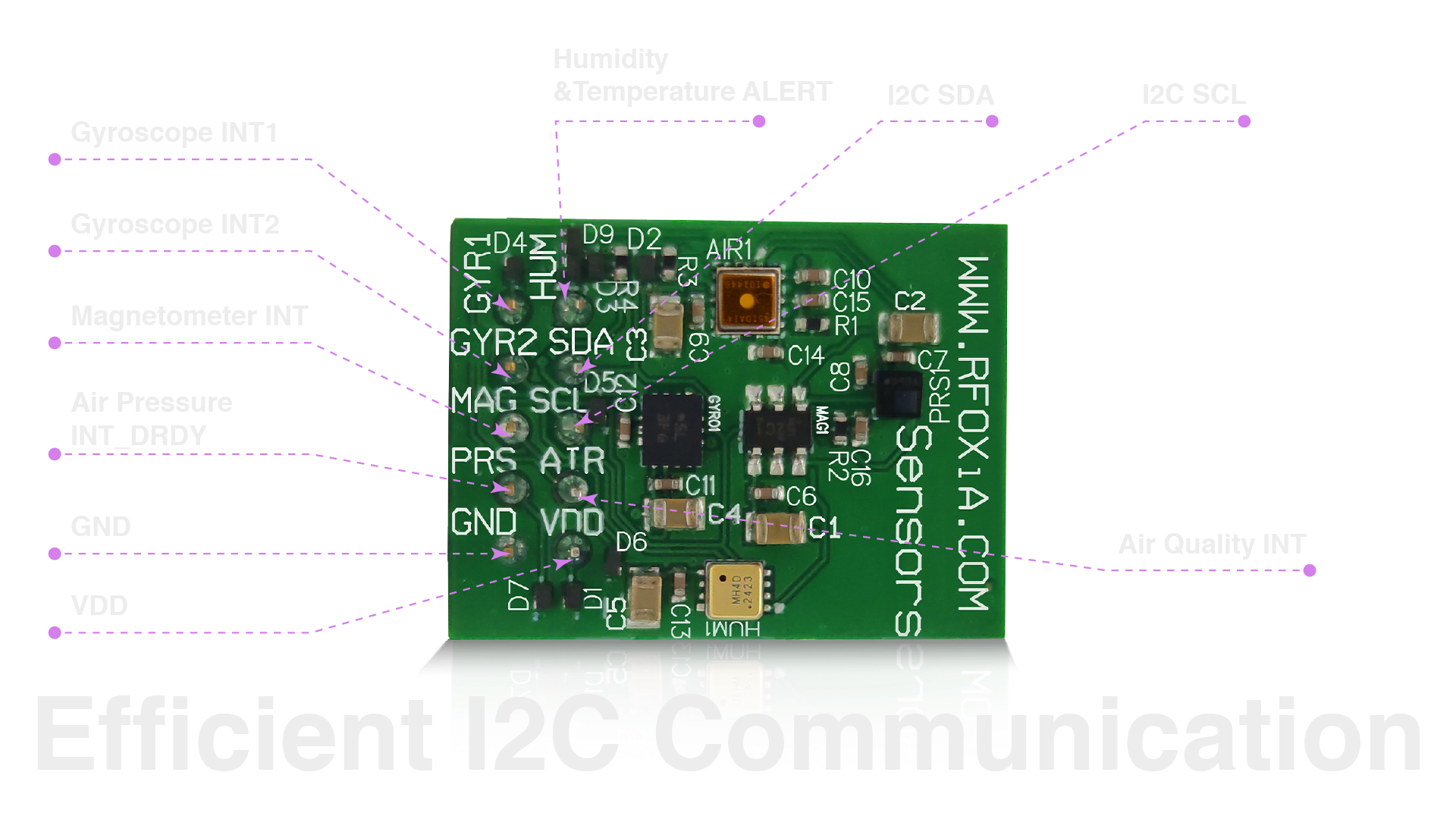
All seven sensors share a single I2C line. Each sensor has a unique, pre-assigned address. There are no jumpers to set, no address conflicts to resolve, and no multiplexer chips required. From your Arduino code, you connect SDA and SCL, and every sensor is immediately addressable.
This has a practical performance benefit beyond convenience: because all sensors sit on the same bus with no multiplexer switching overhead, you can poll all seven sensors in a tight loop with minimal latency variation — which is exactly what good sensor fusion algorithms require for accurate timestamp alignment.
Typical I2C Initialization in Arduino
#include <Wire.h>

void setup() {
  Wire.begin();
  Serial.begin(115200);

  // BMI270 IMU
  Wire.beginTransmission(0x68);
  Wire.write(0x7E);
  Wire.write(0xB6); // soft reset
  Wire.endTransmission();
  delay(10);

  // LPS22HH Barometer
  Wire.beginTransmission(0x5C);
  Wire.write(0x10);
  Wire.write(0x50); // ODR 75Hz, low pass filter
  Wire.endTransmission();

  // ZMOD4510 Air Quality — trigger measurement sequence
  Wire.beginTransmission(0x32);
  Wire.write(0x00);
  Wire.write(0x01);
  Wire.endTransmission();
}
With a single module, you are wiring two wires (SDA, SCL) instead of ten. That is not a minor convenience — it is the difference between a working prototype and a debugging nightmare.
Sensor Fusion Algorithms: From Raw Data to Insight
Complementary Filter for Orientation (IMU Fusion)
The simplest and most computationally efficient sensor fusion algorithm for combining accelerometer and gyroscope data is the complementary filter. It exploits the fact that the accelerometer is accurate over long time periods but noisy short-term, while the gyroscope is accurate short-term but drifts long-term.
// Complementary filter constants
const float alpha = 0.98; // trust gyroscope 98% short-term
const float dt = 0.01;    // 100Hz loop, 10ms timestep

float pitch = 0.0, roll = 0.0;

void loop() {
  // Read BMI270
  float ax = readAccelX();
  float ay = readAccelY();
  float az = readAccelZ();
  float gx = readGyroX(); // degrees/sec
  float gy = readGyroY();

  // Accelerometer angle estimate
  float accel_pitch = atan2(ay, az) * 180.0 / PI;
  float accel_roll  = atan2(-ax, az) * 180.0 / PI;

  // Complementary fusion
  pitch = alpha * (pitch + gx * dt) + (1.0 - alpha) * accel_pitch;
  roll  = alpha * (roll  + gy * dt) + (1.0 - alpha) * accel_roll;

  Serial.print("Pitch: "); Serial.print(pitch);
  Serial.print(" Roll: ");  Serial.println(roll);
  delay(10);
}
Madgwick Filter for Full 9-Axis Fusion
For applications requiring accurate absolute heading — navigation, drone control, robotics — the Madgwick filter fuses all nine axes (accelerometer, gyroscope, magnetometer) into a quaternion representing full 3D orientation. The Sebastian Madgwick open-source implementation works directly with the BMI270 and TMAG5273 data from the MultiNav Pro+ module.
#include <MadgwickAHRS.h>

Madgwick filter;

void loop() {
  filter.update(
    readGyroX(), readGyroY(), readGyroZ(),
    readAccelX(), readAccelY(), readAccelZ(),
    readMagX(), readMagY(), readMagZ()
  );

  float yaw   = filter.getYaw();
  float pitch = filter.getPitch();
  float roll  = filter.getRoll();
}
Environmental Data Fusion: Computed Atmospheric Values
Beyond motion, the MultiNav Pro+ module enables rich environmental fusion. By combining temperature, humidity, and pressure, you can compute:
- Dew point — using the Magnus formula
- Absolute humidity — grams of water vapor per cubic meter
- Heat index — apparent temperature accounting for humidity
- Altitude — using the barometric formula with temperature compensation
- Air quality index — derived from ZMOD4510 raw sensor output using RENESAS algorithm library
// Altitude from pressure and temperature
float computeAltitude(float pressure_hPa, float temp_C) {
  float seaLevel = 1013.25;
  return 44330.0 * (1.0 - pow(pressure_hPa / seaLevel, 0.1903));
}

// Dew point from temperature and relative humidity
float computeDewPoint(float temp_C, float humidity_pct) {
  float a = 17.27;
  float b = 237.7;
  float alpha = ((a * temp_C) / (b + temp_C)) + log(humidity_pct / 100.0);
  return (b * alpha) / (a - alpha);
}
Size, Deployment, and Real-World Applications
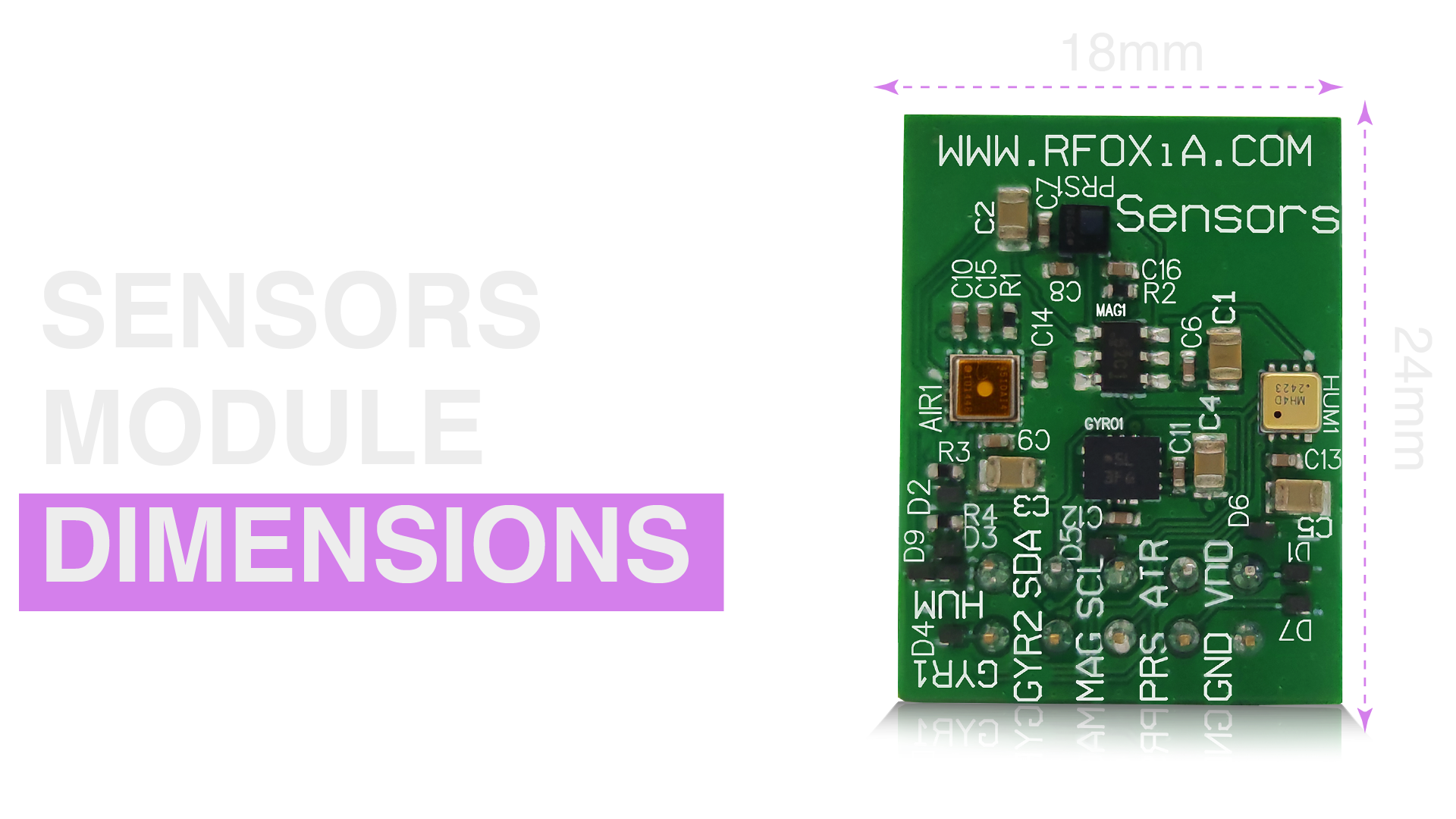
At 24mm × 18mm, the MultiNav Pro+ Sensors Module fits on platforms where most breakout board stacks simply cannot go. This matters enormously for real-world deployment:
- Drones: The module sits cleanly on a 20mm × 20mm mounting pattern, standard across most drone frames
- Wearables: At less than half the area of a credit card, it fits in wristbands, helmet inserts, and clothing-integrated devices
- Environmental nodes: Small enough to deploy inside weatherproof enclosures no larger than a matchbox
- Robotics: Fits on any surface of a compact robot without occupying the primary compute board real estate
Live Data: From Sensor to Dashboard
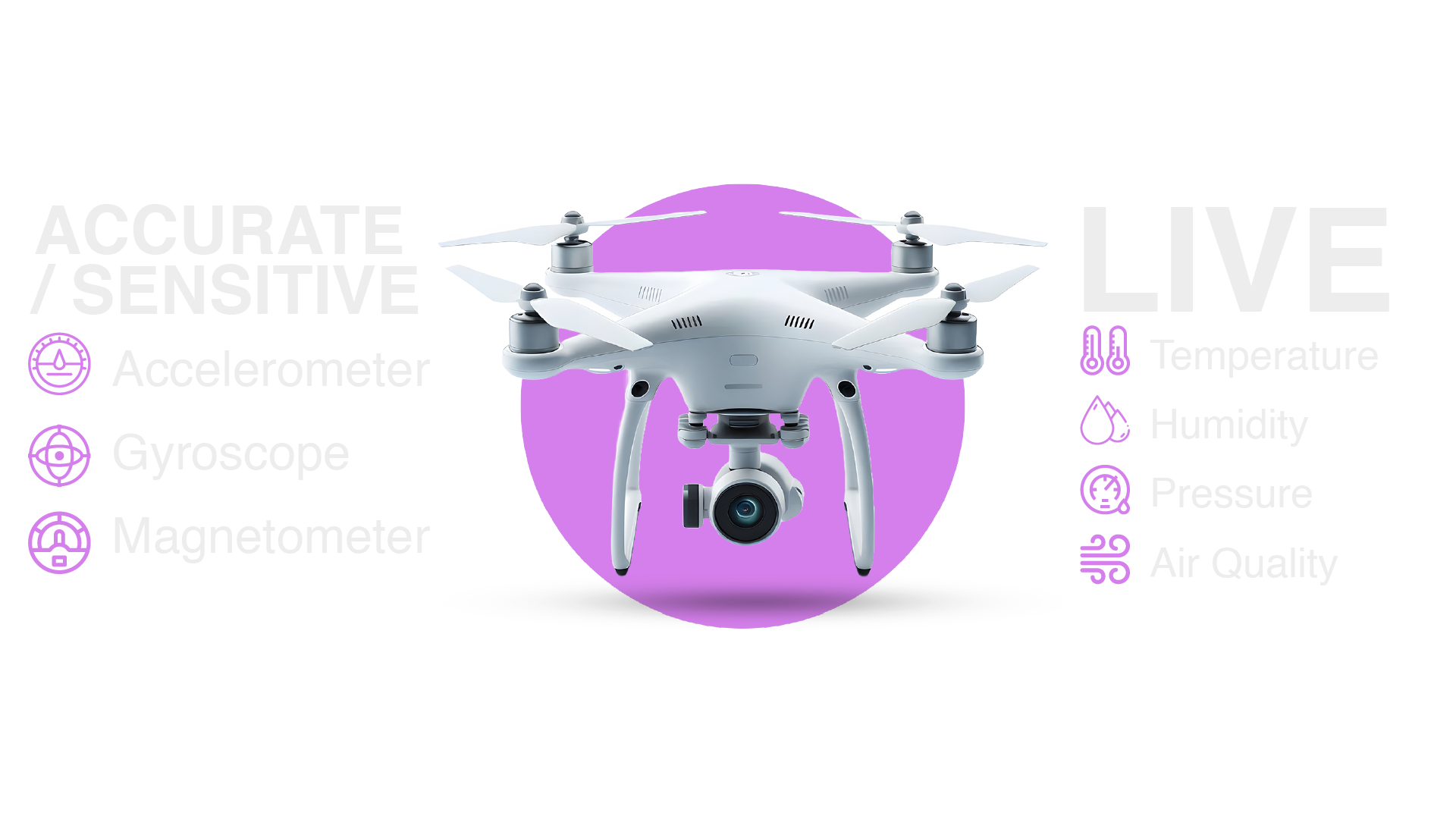
The real power of a fully integrated sensor fusion setup becomes visible when data flows from your module to a live dashboard. The MultiNav Pro+ integrates with the RFOXiA ecosystem — including the RFOXiA Connect app (Android live, iOS pending) and the RFOXiA Club Command Center — for live streaming visualization of all sensor channels simultaneously.
For users who connect the Sensors Module outdoors with GNSS validation through the RFOXiA GNSS Module, the platform also supports enrollment in the RFOXiA Data Network — where your verified environmental data contributions earn daily rewards between $0.08 and $0.40 per day depending on location and data completeness. Your sensor fusion project can literally pay for itself over time.
The RFOXiA Integrated Sensors Module is the hardware foundation for both standalone embedded projects and connected data network contributions — a flexibility that no other single-board sensor solution currently offers.
Application Ideas: What You Can Build

This module is not a single-purpose component. Here is a sample of what builders in the RFOXiA community are using it for:
1. Autonomous Drone Stabilization Using the BMI270 IMU fusion with the Madgwick filter for real-time attitude estimation, the LPS22HH barometer for altitude hold, and the TMAG5273 magnetometer for GPS-denied heading reference.
2. Smart Weather Station Combining all four environmental sensors for micro-climate logging with altitude-corrected pressure readings, absolute humidity calculation, and hourly air quality trend tracking — all from a single I2C connection.
3. Wearable Activity Tracker Using the BMI270's built-in step counter with custom gesture recognition fusion for sports performance monitoring in a form factor small enough for a wristband.
4. Agricultural Field Monitor Deploying multiple nodes across a field to create a spatial map of micro-climate variation — temperature gradients, humidity pockets, air quality anomalies — for precision irrigation and crop management decisions.
5. Indoor Air Quality Monitor Combining the ZMOD4510 air quality sensor with temperature and humidity for a full indoor environment health dashboard, with barometric pressure indicating weather changes that correlate with ventilation needs.
6. Robotics Navigation System Fusing the 9-axis IMU (accelerometer + gyroscope + magnetometer) for dead-reckoning navigation between GPS fixes, with barometric altitude for multi-floor awareness in indoor robotics.
Why This Is the Right Hardware for Your Sensor Fusion Tutorial Arduino Journey
Every sensor fusion tutorial Arduino guide eventually confronts the same question: is the complexity coming from the algorithm, or from the hardware? With five separate breakout boards, most of the complexity is hardware. With the MultiNav Pro+ Sensors Module, you eliminate that entirely.
You get:
- Seven sensors from four industry-leading manufacturers (Bosch, Texas Instruments, STMicroelectronics, MEMSVision, RENESAS)
- A single I2C connection with zero address conflicts
- Professional-grade component selection used in industrial and aerospace applications
- A 24mm × 18mm form factor that deploys anywhere
- FCC certification for commercial and regulatory compliance
- Integration with the broader RFOXiA ecosystem for live data streaming, AI firmware development, and passive data monetization
All for $39 — less than the cost of most individual breakout boards from the equivalent component tier.
Getting Started
Ready to run your first sensor fusion loop? Here is your fast-start path:
- Order the module from the RFOXiA Integrated Sensors Module product page
- Connect SDA, SCL, 3.3V, and GND to your Arduino or STM32 board
- Install the BMI270, LPS22HH, and ZMOD4510 Arduino libraries from their respective manufacturer SDKs
- Run the I2C scanner sketch to confirm all seven sensor addresses appear on the bus
- Implement the complementary filter example above for your first IMU fusion output
- Expand to Madgwick 9-axis fusion and environmental computed values
- Connect to RFOXiA Club for live dashboard visualization and optional data network enrollment
The RFOXiA Dev Hub inside RFOXiA Club also includes AI Firmware Builder — describe your sensor fusion application in plain language and the platform generates production-ready Arduino-compatible firmware with full source code. What used to take days now takes minutes.
Final Thoughts
Sensor fusion is not advanced magic reserved for PhD engineers at aerospace companies. It is an accessible, practical set of techniques that every serious maker, robotics builder, drone developer, and IoT engineer should have in their toolkit. The barrier has never been the math — it has always been the hardware friction.
The MultiNav Pro+ Sensors Module removes that friction. Seven sensors. One module. One I2C line. $39.
This sensor fusion tutorial Arduino guide has given you the theory, the code, the hardware context, and the application inspiration. The next step is yours.
Start building.
Written by: Moamen Mohamed LinkedIn