

STLink vs JLink Programmer Comparison: Which Debugger Wins?
RFOXiA SuperCapacitor Battery and Programmer Kit
STLink vs JLink Programmer Comparison — The Definitive Guide for Embedded Developers
If you've spent any time doing embedded firmware development, you've almost certainly faced the same question: STLink vs JLink programmer comparison — which one should you actually be using? It sounds like a simple question. It isn't. Both tools have carved out significant territory in the embedded development world, both have passionate advocates, and both have real trade-offs that matter enormously depending on your workflow, your target microcontroller, and your budget.
This guide cuts through the marketing noise and gives you a real, technical, developer-to-developer breakdown of both tools. We'll cover architecture, compatibility, speed, software ecosystem, and cost. Then we'll show you how the RFOXiA SuperCapacitor Battery and Programmer Kit changes the conversation entirely for developers building with STM32-based hardware — by integrating professional STLink programming directly into an ecosystem built for serious makers.
What Is an STLink Programmer?
STLink is ST Microelectronics' proprietary debug and programming interface, designed specifically for STM8 and STM32 microcontrollers. It communicates over SWD (Serial Wire Debug) and JTAG protocols, and it's the native debugging tool for the entire STM32 product family.
STLink comes in a few forms:
- STLink/V2 — the standalone USB dongle, cheap and widely available
- STLink/V3 — the updated version with higher transfer speeds and more features
- Onboard STLink — built into STM32 Nucleo and Discovery boards
The STLink programmer is tightly optimized for ST silicon. If you're working with STM32 — which covers an enormous range of 32-bit ARM Cortex-M applications — STLink is purpose-built for your target.
Cost: Standalone STLink/V2 clones cost $3-10. Official STLink/V3 runs $10-25. Onboard versions on Nucleo boards are effectively free if you own the board.
What Is a JLink Programmer?
JLink is SEGGER's flagship debug probe, and it is arguably the most capable and widely compatible JTAG/SWD programmer/debugger on the market. Where STLink is purpose-built for ST silicon, JLink is designed for broad compatibility across virtually every ARM Cortex core, RISC-V processors, and dozens of other architectures.
JLink comes in multiple tiers:
- JLink EDU — education-restricted, ~$60
- JLink BASE — commercial use, ~$500
- JLink PLUS — adds trace support, ~$800
- JLink PRO — full feature set including ETM trace, ~$1,200+
JLink is famous for its speed. SEGGER claims transfer rates up to 50MB/s with their RTT (Real-Time Transfer) technology, which is genuinely faster than most alternatives. It also offers unlimited flash breakpoints (not limited by hardware breakpoint registers), which is a significant advantage during complex debugging sessions.
STLink vs JLink Programmer Comparison: Head-to-Head Specs
| Feature | STLink/V3 | JLink BASE |
|---|---|---|
| Protocol Support | SWD, JTAG (ST only) | SWD, JTAG, FINE, Renesas, RISC-V |
| MCU Compatibility | STM8, STM32 | 1000+ devices across all major vendors |
| Max Transfer Speed | ~4MB/s | Up to 50MB/s (RTT) |
| Flash Breakpoints | Limited to hardware BPs | Unlimited software BPs |
| RTT Support | No | Yes |
| GDB Server | ST-LINK GDB Server | JLinkGDBServer |
| IDE Integration | STM32CubeIDE, VS Code, IAR | All major IDEs |
| Price (Commercial) | $10-25 | ~$500 |
| Open Source Community | High (OpenOCD support) | Moderate |
| License Restrictions | None | EDU version restricted to education |
The numbers tell a clear story: JLink wins on raw capability and breadth. STLink wins on cost and ecosystem fit for STM32-specific work.
When STLink Is the Right Choice
For the vast majority of makers, drone builders, robotics engineers, and IoT developers working with STM32 silicon, the STLink programmer is the correct tool — and here's why:
1. You're Working With STM32
If your target MCU is any member of the STM32 family (STM32F, STM32H, STM32WB, STM32G, STM32L, etc.), STLink is native. It requires zero configuration. You plug in, your IDE recognizes the target, and you flash. There's no compatibility matrix to consult, no device definition files to install.
2. Cost Is a Real Constraint
At $10-25 for an official STLink/V3 — or effectively $0 if you have a Nucleo board in your drawer — there is no rational case for spending $500+ on JLink BASE unless you specifically need its advanced features. For a startup, a freelance developer, or a maker on a budget, that $475 difference funds real hardware.
3. IDE Integration Is First-Class
STM32CubeIDE treats STLink as a first-class citizen. OpenOCD supports it natively. VS Code with the Cortex-Debug extension handles it seamlessly. The toolchain just works.
4. Community Support
Because STLink is the default programmer for the largest ARM MCU ecosystem, community resources are everywhere. Stack Overflow answers, GitHub issues, YouTube tutorials — all of them assume STLink as the baseline.
When JLink Is Worth the Investment
JLink earns its price tag in specific scenarios:
1. Multi-Vendor Development
If your team works across STM32, NXP i.MX RT, Nordic nRF, Renesas RA, and Infineon PSoC in the same sprint, a single JLink handles all of them. The cross-vendor compatibility eliminates the need for multiple debug probes.
2. Advanced Trace Requirements
JLink PLUS and PRO support ETM (Embedded Trace Macrocell) and ITM trace, enabling instruction-level profiling and timeline reconstruction. For real-time OS optimization or finding hard faults in production firmware, trace capability is invaluable.
3. Unlimited Flash Breakpoints
STM32 hardware typically provides 6-8 hardware breakpoints. JLink's unlimited software flash breakpoints remove this ceiling — critical for debugging complex state machines or heavily branched firmware.
4. RTT for High-Speed Logging
SEGGER's RTT (Real-Time Transfer) gives you high-speed printf-style debugging without the latency of SWO or semi-hosting. For time-critical embedded systems, this matters.
The Middle Path: Integrated STLink in a Purpose-Built Developer Kit
Here's where the conversation gets more interesting for RFOXiA developers.
Most of the STLink vs JLink programmer comparison debate assumes you're buying a standalone probe and attaching it to whatever hardware you're building. But what if your development hardware already came with professional STLink programming built in — integrated into a complete power and programming solution designed specifically for your module ecosystem?
That's exactly what the RFOXiA SuperCapacitor Battery and Programmer Kit delivers.
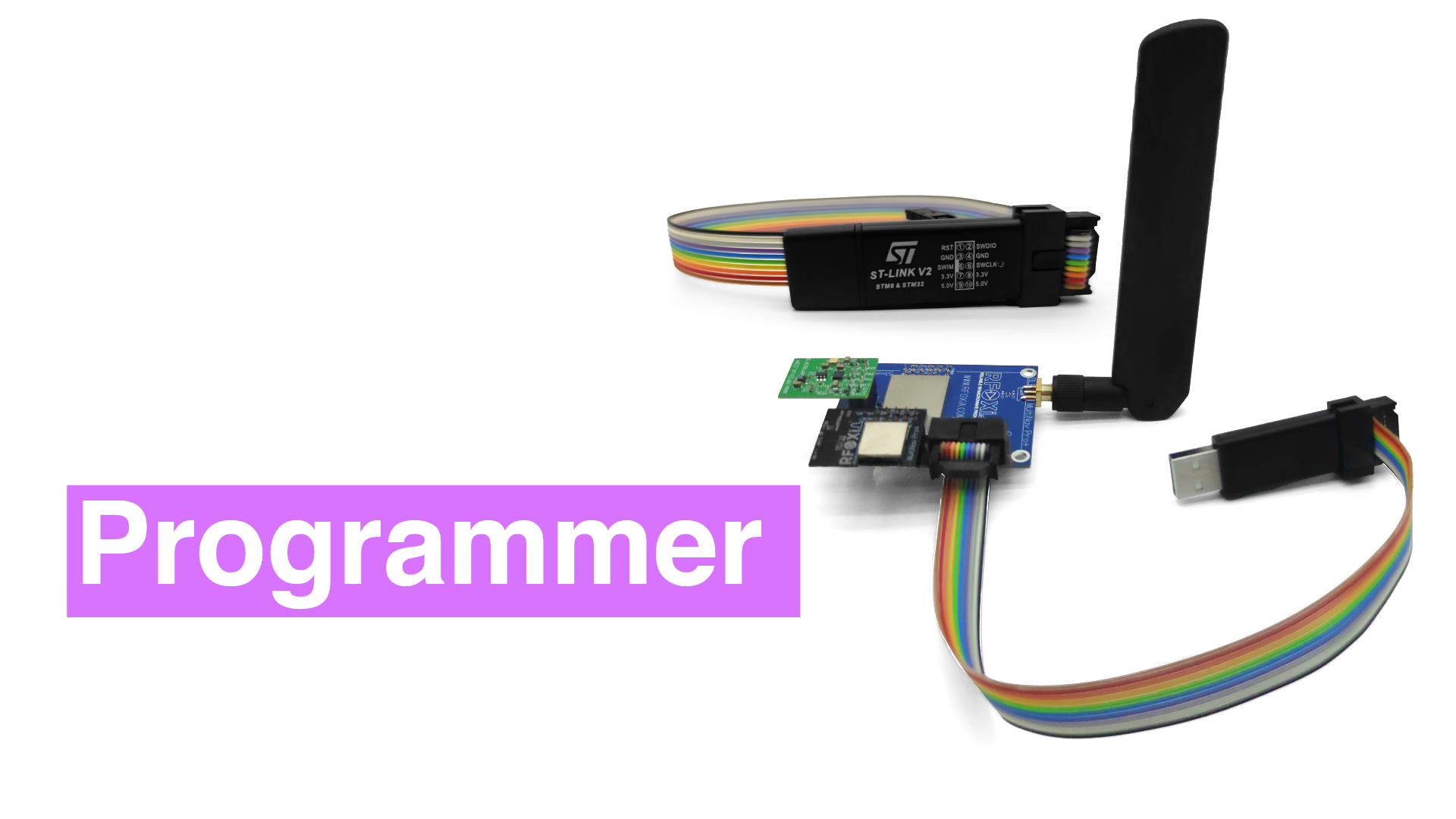
The Power/Program Kit includes a fully integrated STLink programmer designed specifically for the MultiNav Pro+ BLE Module — which is built on the STM32WB07, one of ST's latest wireless Cortex-M0+ SoCs with Bluetooth 5.4 support. This means:
- No separate probe to purchase
- No compatibility configuration
- No cable hunting
- Firmware flashing and live debugging are first-class features of the ecosystem, not afterthoughts
For developers working within the MultiNav Pro+ ecosystem, this isn't a trade-off. It's the right tool, integrated in exactly the right place.
The Supercapacitor Power System: A Different Kind of Innovation
Before we go further, it's worth spending time on what makes this kit genuinely unusual — and it isn't the programmer.
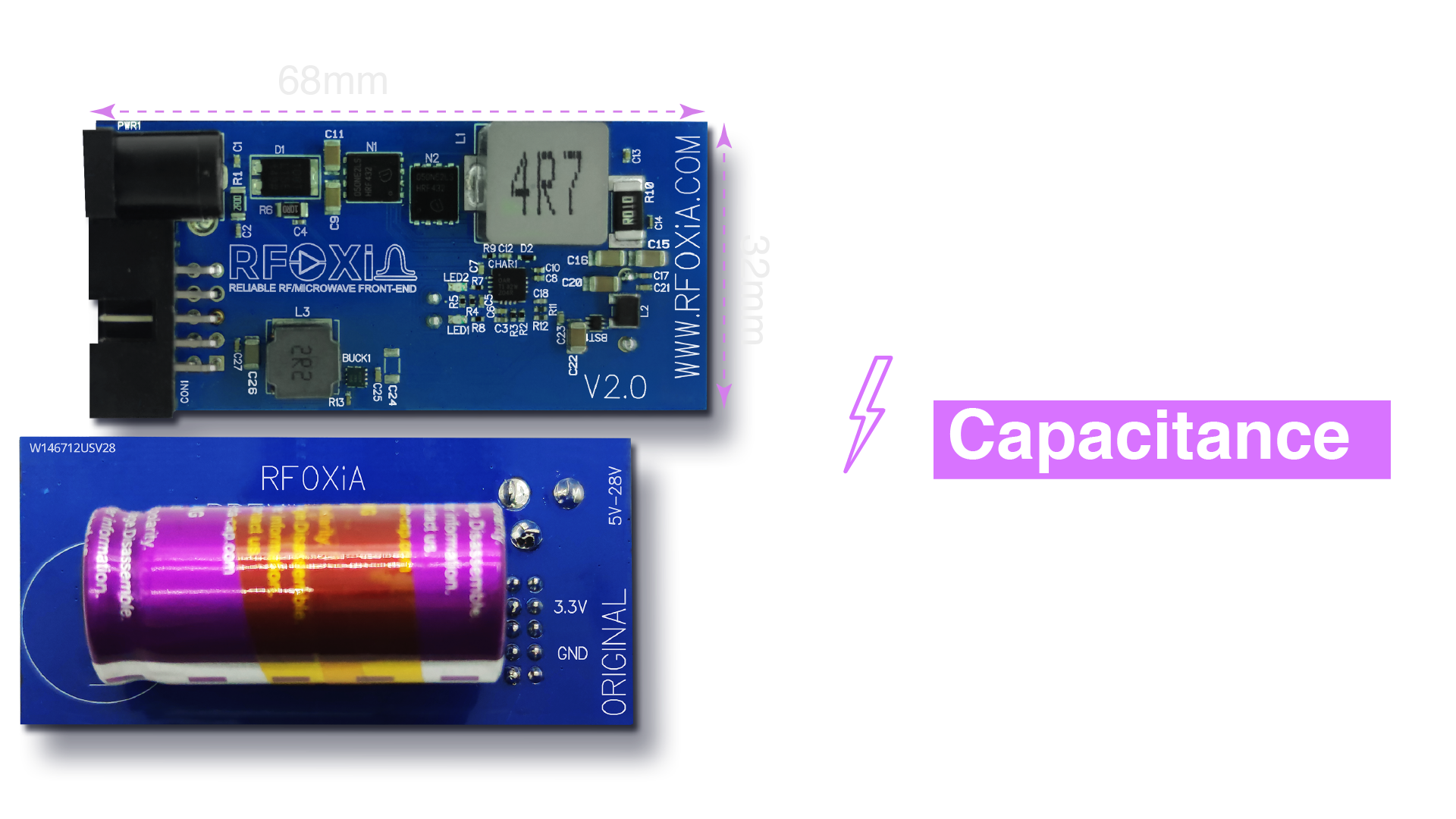
The Power/Program Kit uses a 1100F supercapacitor system storing 8800 Joules of energy. That's enough to power the complete MultiNav Pro+ module stack for a full working day — and it charges in under 5 minutes.
Let that sink in for a moment. Five minutes to full charge. Twenty-four hours of runtime.
Compare that to LiPo batteries, which take 1-3 hours to charge and degrade significantly over 300-500 charge cycles. Supercapacitors charge in minutes, last for hundreds of thousands of cycles, and don't suffer the same degradation curves. For field deployment — where your hardware might be mounted on a drone, deployed on a rooftop sensor node, or sitting in a remote agricultural station — this is a fundamentally different power philosophy.
This isn't about convenience. It's about reliability and uptime in deployment scenarios where battery downtime is genuinely unacceptable.
High-Power Charging: Built for Speed
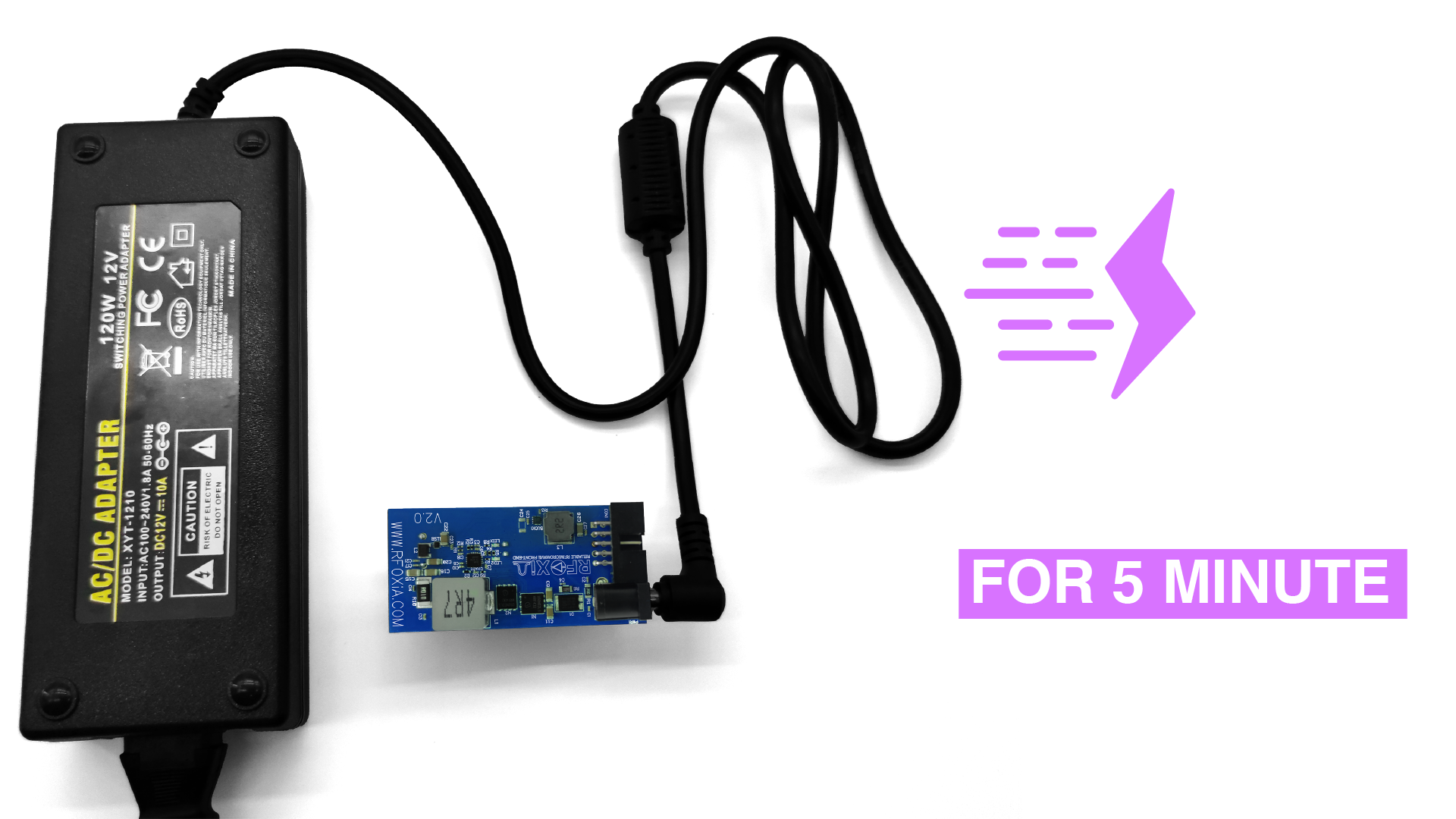
The included 12V 5A high-power charging adapter is what enables the 5-minute charge time. The supercapacitor accepts charge at 4V 10A — a charging rate that would be dangerous or damaging with conventional battery chemistry, but that supercapacitors handle without stress.
For developers doing iterative field testing — flash firmware, deploy module, test at range, return, reflash, redeploy — the ability to fully recharge in the time it takes to review your test data is a real productivity multiplier.
Powering the Entire MultiNav Pro+ Ecosystem
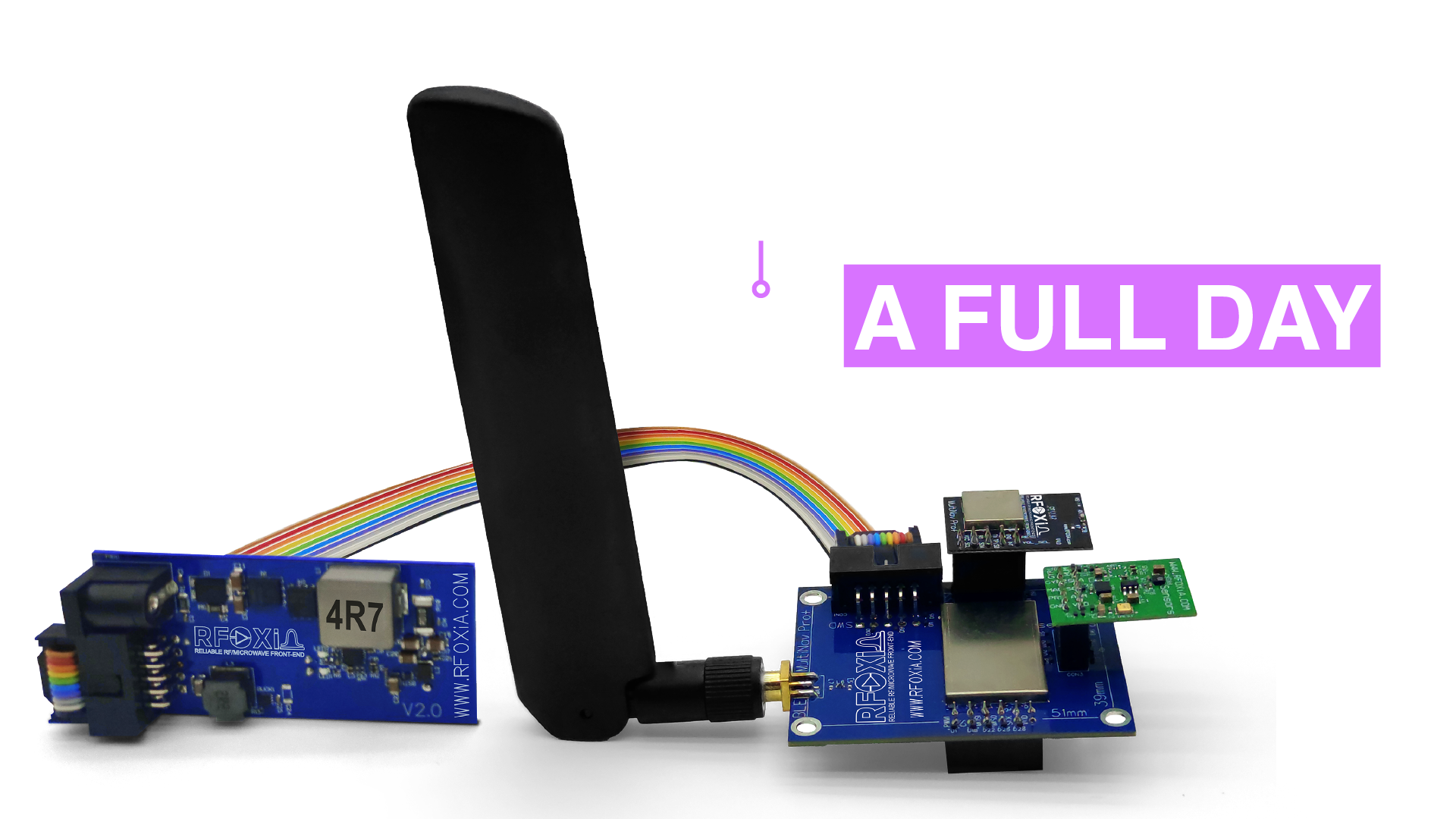
The Power/Program Kit doesn't just run the BLE Module. It's designed to power the entire MultiNav Pro+ module stack simultaneously:
- MultiNav Pro+ BLE Module — long-range Bluetooth 5.4, up to 20km man-to-drone range
- GNSS Module — 18Hz fix rate, 1.5m accuracy
- Sensors Module — temperature, humidity, pressure, air quality, accelerometer, gyroscope, magnetometer
All four modules running simultaneously. All day. On a 5-minute charge. For field researchers, drone operators, or anyone deploying a complete environmental sensing and communication stack, this changes the calculus on what's operationally feasible.
Complete Connectivity: No Dongle Hunting
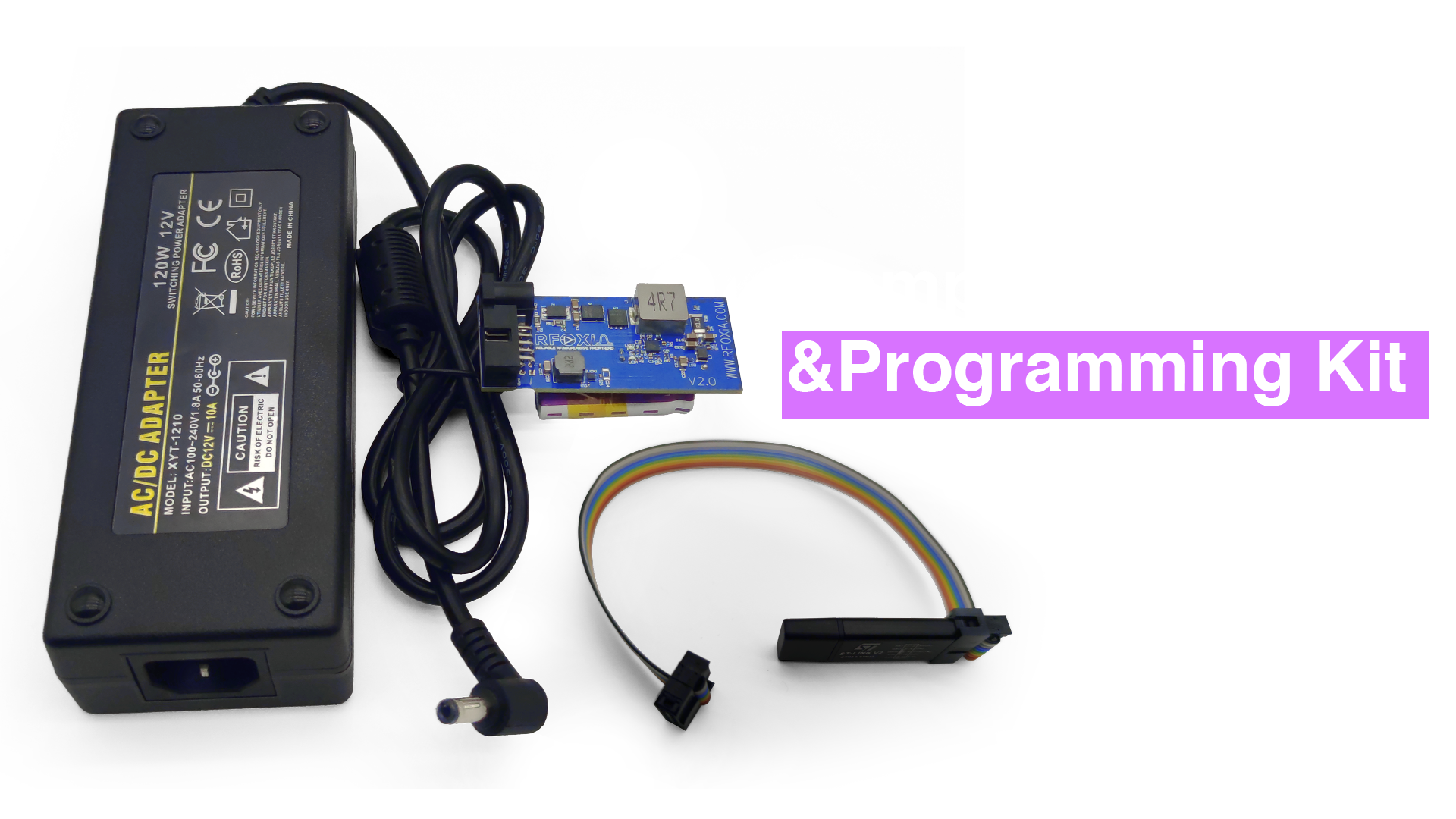
One of the underappreciated frustrations in embedded development is cable management. The wrong connector, a missing ribbon cable, a forgotten USB adapter — these are the small frictions that waste disproportionate amounts of time.
The Power/Program Kit ships with every cable needed for complete setup:
- Flat ribbon cables connecting BLE Module to Power Module
- Programmer connection cables for STLink integration
- USB connectivity for host computer connection
Everything in one box. Everything fits. Everything works out of the package.
Software Ecosystem: STLink on STM32WB07
The MultiNav Pro+ BLE Module is built on the STM32WB07 — ST's latest Bluetooth 5.4 wireless SoC. The firmware repository is open source and available on GitHub.
For developers who want to customize firmware behavior, the integrated STLink programmer in the Power/Program Kit provides:
- Full SWD debug access — set breakpoints, inspect registers, step through execution
- Reliable flash programming — fast, verified firmware upload
- Live debugging — examine peripheral registers, memory, and variable states during runtime
- Compatible with STM32CubeIDE, VS Code + Cortex-Debug, OpenOCD, and IAR
And for developers who don't want to write firmware from scratch, RFOXiA Club's AI Firmware Builder lets you describe your application in plain language and generates production-ready firmware for the STM32WB07 — dramatically reducing development time from months to hours.
STLink vs JLink Programmer Comparison: The Verdict
Let's return to the core question. When you put STLink and JLink side by side:
Choose STLink when:
- Your target is STM32 (this covers a huge percentage of ARM Cortex-M development)
- Budget matters — and it almost always matters
- You want first-class IDE support with zero configuration
- You're working within an integrated ecosystem like MultiNav Pro+
- Community resources and forum support are important to your workflow
Choose JLink when:
- You're developing across multiple MCU vendors simultaneously
- You need ETM or ITM trace capabilities
- Unlimited software flash breakpoints are critical for your debugging workflow
- Your organization's budget supports a $500+ investment per developer
- You're working on ultra-time-critical systems where RTT matters
For the embedded developer community that RFOXiA is built for — drone builders, robotics engineers, IoT developers, field researchers, and serious makers — STLink in an integrated, purpose-built kit is the right answer at the right price.
Why the Power/Program Kit Is the Smartest $119 in Your Toolkit
At $119, the RFOXiA SuperCapacitor Battery and Programmer Kit is not the cheapest programmer you can buy. It's not trying to be. What it is:
- A professional STLink programmer integrated into your development workflow
- A supercapacitor power system that charges in 5 minutes and runs for 24 hours
- A complete cable kit that eliminates setup friction
- A power solution for your entire MultiNav Pro+ module stack
- Part of an FCC-certified, vertically integrated wireless development ecosystem
For developers serious about building with MultiNav Pro+ hardware — and about deploying that hardware in real applications — this kit is not optional equipment. It's the foundation.
Final Thoughts
The STLink vs JLink programmer comparison is a legitimate debate in the embedded development community, and both tools have earned their places. JLink's capability at scale is real. STLink's fit for STM32 development is equally real — and at a fraction of the price.
But the more interesting evolution isn't which standalone probe you buy. It's the integration of professional-grade programming and debugging into purpose-built development ecosystems — where the programmer is one feature of a complete power, connectivity, and development solution.
That's what RFOXiA has built. And if you're developing with STM32WB07-based hardware, doing field deployments that require serious power reliability, or building wireless systems that push BLE range beyond anything a commodity module can touch, the choice is straightforward.
Grab the RFOXiA SuperCapacitor Battery and Programmer Kit and get back to building.
Written by: Moamen Mohamed LinkedIn