
SWD Programming Tutorial Arduino: The Complete Guide to SWD Debugging and SuperCapacitor Power for Wireless Modules
RFOXiA SuperCapacitor Battery and Programmer Kit
Why Every Embedded Developer Needs a Proper SWD Programming Tutorial Arduino Builders Can Actually Use
If you have ever spent hours wrestling with unreliable USB connections, dead batteries in the field, or cryptic firmware flash errors during a critical prototype session, you already know the pain that most embedded developers quietly accept as normal. The truth is, it does not have to be that way. A proper understanding of Serial Wire Debug — SWD — combined with the right hardware toolkit can transform your development workflow from frustrating to fluid.
This guide is written for Arduino developers, FPV drone builders, robotics engineers, and IoT makers who are ready to step beyond hobby-level tooling and into professional embedded development practices. By the end of this post, you will understand exactly what SWD is, why it is superior to standard UART or USB flashing for STM32-based wireless modules, how to set up and use an STLink programmer correctly, and why the power system you use during development matters just as much as the programmer itself.
We will also walk through the complete RFOXiA SuperCapacitor Battery and Programmer Kit — a purpose-built solution that combines professional SWD programming with a revolutionary supercapacitor power system that charges in under five minutes and runs your full module stack for an entire working day.
Let us start from the foundation.
What Is SWD and Why Does It Matter?
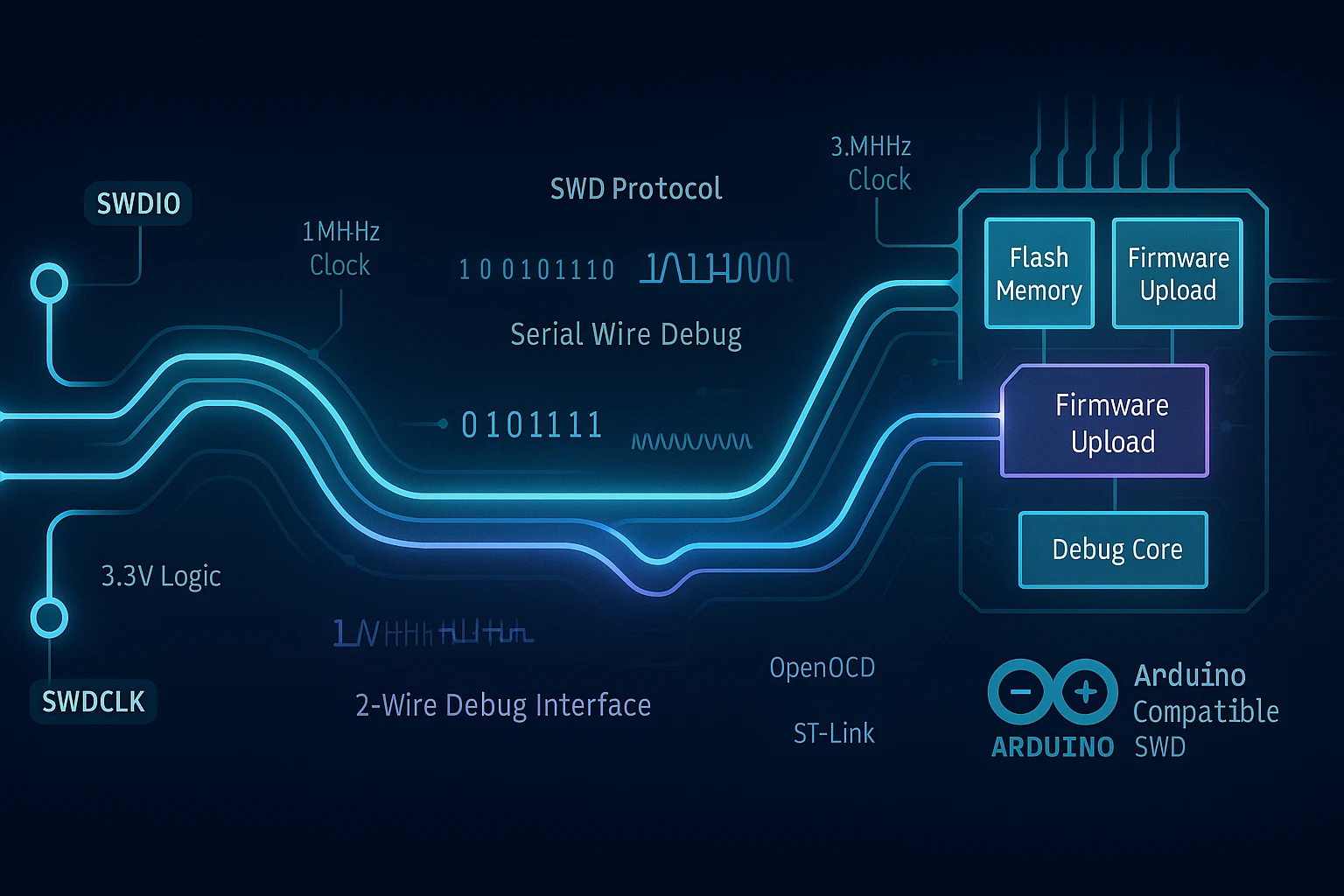
Serial Wire Debug is a two-wire debug and programming interface developed by ARM for Cortex-M microcontrollers. It uses two signals — SWDIO (Serial Wire Debug I/O) and SWDCLK (Serial Wire Debug Clock) — to provide full programming, real-time debugging, register inspection, breakpoint support, and flash memory write capabilities through a single compact connector.
For developers coming from the Arduino world, SWD is the professional equivalent of the bootloader-based USB flashing you are used to — except it is faster, more reliable, works even when your bootloader is corrupted, and gives you live debugging access that UART serial printing simply cannot match.
SWD vs UART vs USB Bootloader: A Quick Comparison
| Feature | UART Serial | USB Bootloader | SWD |
|---|---|---|---|
| Programming speed | Slow | Medium | Fast |
| Live debugging | No | No | Yes |
| Breakpoints | No | No | Yes |
| Works with corrupted bootloader | No | No | Yes |
| Register inspection | No | No | Yes |
| Connection reliability | Medium | Medium | High |
| Required wires | 2+ | 1 | 2 |
For anyone working with STM32-based wireless modules — which is exactly what the MultiNav Pro+ BLE Module is built on — SWD is not optional. It is the correct tool for the job.
SWD Programming Tutorial Arduino: Setting Up Your First STLink Connection
This section of our SWD programming tutorial Arduino developers should bookmark covers the complete setup process from hardware connection through first successful flash.
Step 1: Understand Your Hardware
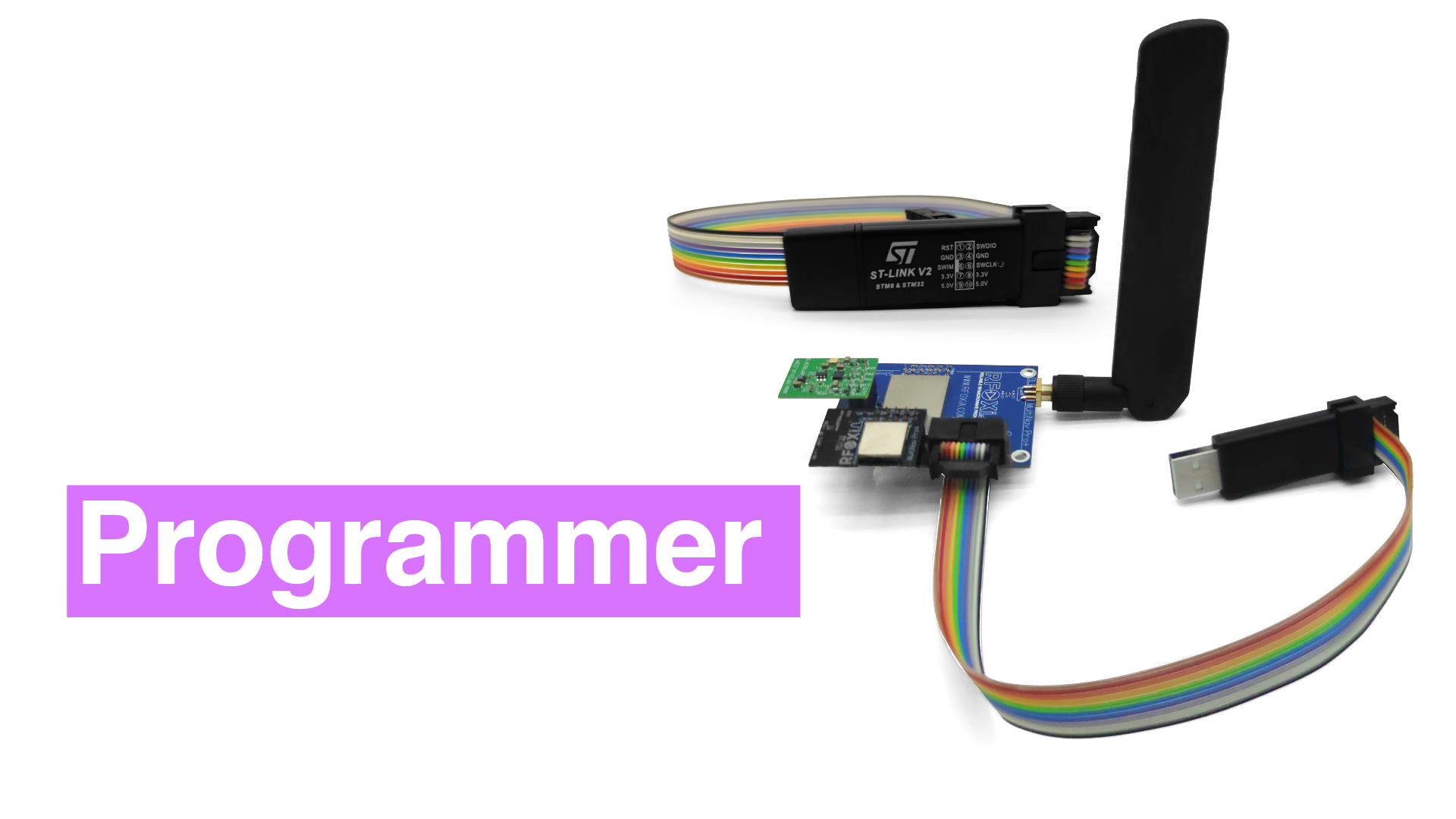
The STLink programmer is the bridge between your development computer and your target microcontroller. The MultiNav Pro+ Power/Program Kit includes a built-in STLink programmer specifically calibrated for the MultiNav Pro+ BLE Module, which is based on the STM32WB07 wireless SoC.
Unlike generic STLink clones you might find on marketplaces, the integrated programmer in the RFOXiA kit is matched to the voltage levels, timing requirements, and pin mapping of the MultiNav Pro+ BLE Module out of the box. No guesswork, no level shifters, no burned pins from voltage mismatches.
Step 2: Physical Connection
The MultiNav Pro+ Power/Program Kit uses flat ribbon cables for clean, reliable connections between modules. The kit includes:
- Ribbon cable: BLE Module to Power Module
- Ribbon cable: Programmer to BLE Module
- 12V 5A charging adapter for the supercapacitor battery system
Connect the programmer ribbon cable from the STLink interface on the Power/Program Kit to the SWD header on your MultiNav Pro+ BLE Module. The connectors are keyed — they only go in one way, eliminating the common mistake of reversed SWDIO/SWDCLK lines that can prevent connection or damage hardware.
Step 3: Install STLink Utilities
On your development machine, you will need one of the following:
Option A — STM32CubeIDE (Recommended for beginners) STM32CubeIDE is ST Microelectronics' official integrated development environment. It includes the STLink GDB server, flash programmer, and full debugging interface in one package. Download it free from the ST website.
Option B — STLink CLI For command-line workflows, the STLink command line utility allows scripted flashing, automated CI/CD pipelines, and batch programming of multiple units.
Option C — OpenOCD OpenOCD is the open-source on-chip debugger that works with STLink hardware and integrates with VS Code, PlatformIO, and other environments. This is the most flexible option for developers who prefer their existing editor.
Option D — PlatformIO with STLink If you are coming from the Arduino ecosystem, PlatformIO running inside VS Code is the most familiar transition. Add your STM32 board definition, set the upload protocol to stlink, and PlatformIO handles the rest using OpenOCD under the hood.
Step 4: First Flash via SWD
With your hardware connected and software installed, the process for a first flash is straightforward:
- Power your MultiNav Pro+ BLE Module through the Power/Program Kit (more on the power system shortly)
- Connect the USB cable from your computer to the STLink programmer interface
- Open your IDE of choice and select your target — STM32WB07 for the MultiNav Pro+ BLE Module
- Load your compiled binary (.hex or .bin file)
- Click flash/program
- The STLink negotiates the SWD connection, erases the target flash sector, writes your firmware, and verifies the write
- The module resets and begins running your new firmware immediately
Total time from click to running firmware: under ten seconds for a typical firmware binary.
Step 5: Live Debugging Over SWD
This is where SWD genuinely separates itself from any bootloader-based approach. With your STLink connected and a debug session launched in your IDE:
- Set breakpoints anywhere in your source code
- Step through code line by line while the module runs
- Inspect register values, peripheral states, RAM contents in real time
- Watch variable values change as your code executes
- Catch hard faults and identify exactly which instruction caused the crash
For wireless module development — where timing issues, RF initialization sequences, and interrupt-driven communication can cause subtle bugs that serial print debugging will never catch — live SWD debugging is transformative.
The Power Problem: Why Your Power Source Matters During Development
Here is something that most SWD programming tutorials skip entirely: your power source during development is not a minor consideration. It is critical.
Consider what happens when you are deep in a debugging session and your USB hub cannot supply enough current during an RF transmission burst. Your module browns out. Your debug session crashes. Your STLink loses connection. You lose your breakpoint state. You start over.
Or consider field deployment scenarios — you have built a working long-range wireless node, you need to reprogram it in the field, and your laptop battery is at 40% with no outlet anywhere nearby.
These are real problems that real developers face. The MultiNav Pro+ Power/Program Kit was designed to eliminate both.
Supercapacitor Technology: Why It Changes Everything
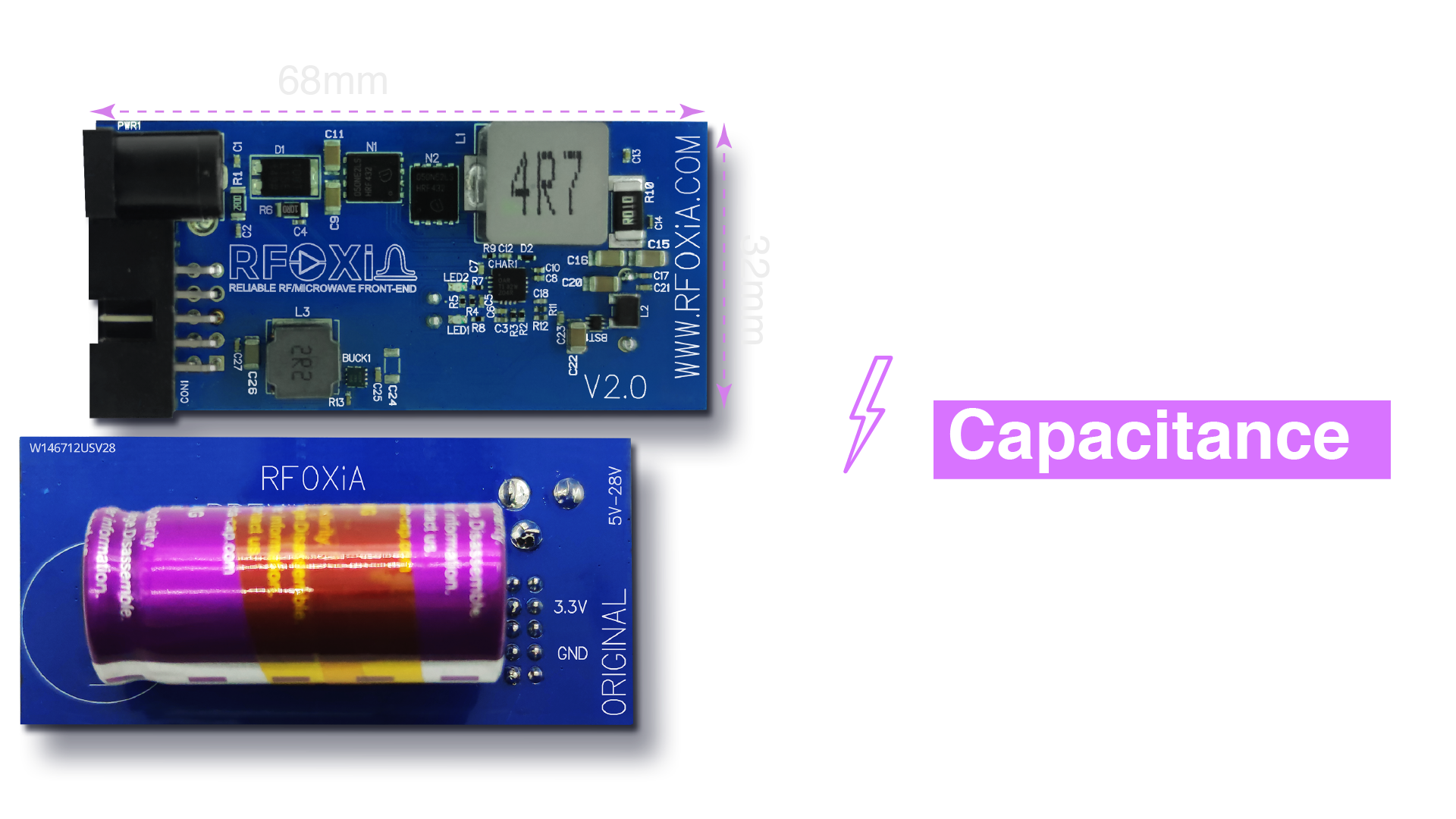
The Power/Program Kit is built around an 1100F supercapacitor system — not a lithium battery. This distinction matters enormously for development workflows.
Why supercapacitors beat lithium batteries for this application:
- Charge time: The 1100F supercapacitor system charges fully in under five minutes from the included 12V 5A adapter (charging the supercapacitor at 4V 10A). A comparable lithium battery pack requires 1-3 hours.
- Energy stored: 8800 Joules — sufficient to power the complete MultiNav Pro+ module stack (BLE Module, GNSS Module, Sensors Module) for a full working day.
- Discharge characteristics: Supercapacitors deliver current on demand without the voltage sag that lithium batteries exhibit under load. This means clean, stable power during RF transmission bursts — exactly when you need it most.
- Cycle life: Supercapacitors tolerate hundreds of thousands of charge cycles without capacity degradation. Lithium batteries begin degrading after 300-500 cycles.
- No thermal runaway: Supercapacitors do not carry the fire risk associated with lithium chemistries — a meaningful advantage in development environments where you may charge and discharge repeatedly throughout the day.
The field implication: Arrive at your test site with a discharged kit. Plug in the adapter for five minutes while you set up your equipment. You now have a full day of power. No battery management, no charge anxiety, no dead modules at the worst possible moment.
Powering the Complete MultiNav Pro+ Ecosystem
The Power/Program Kit is not just designed for the BLE Module — it is engineered to power the entire MultiNav Pro+ module stack simultaneously.
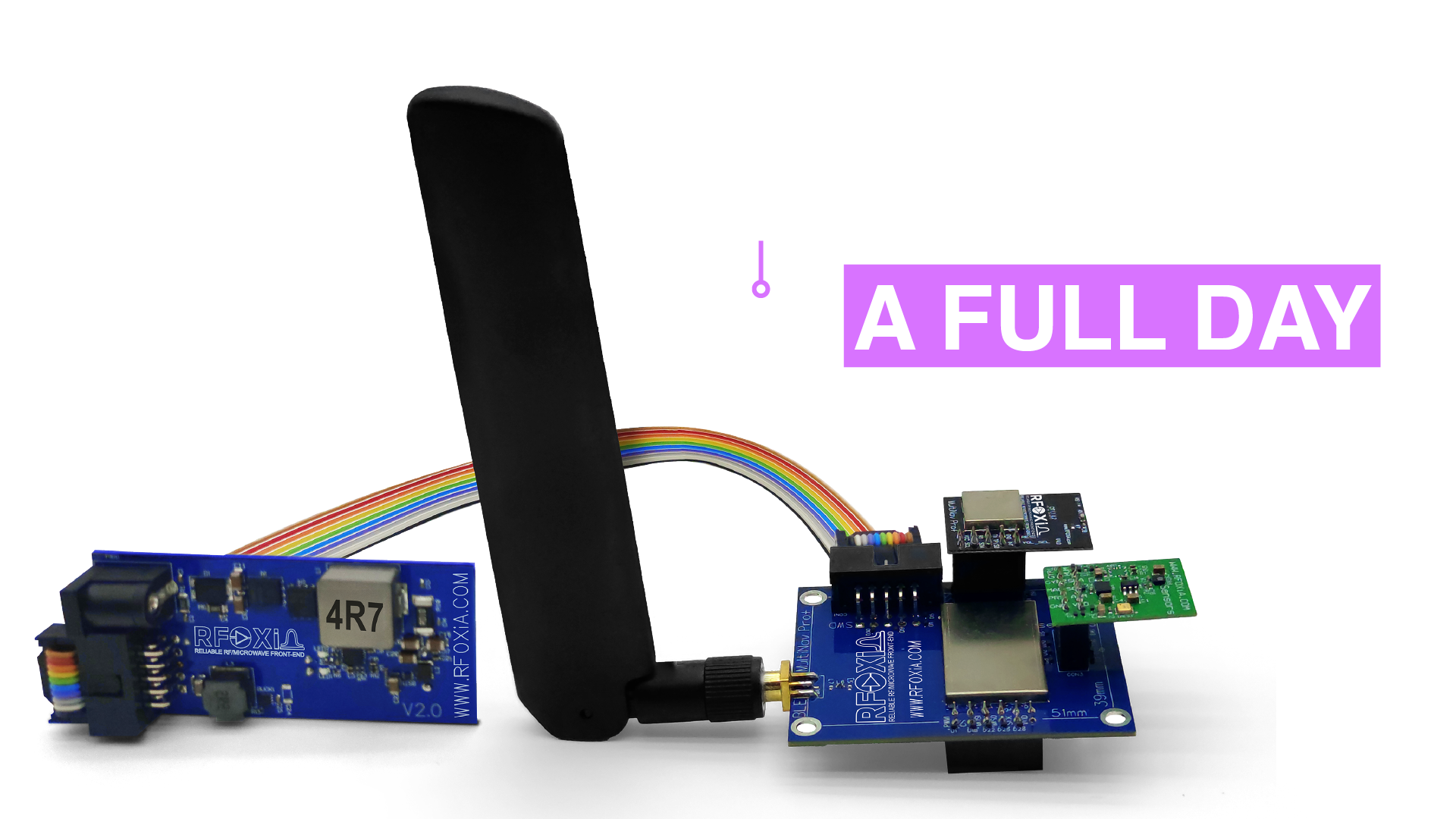
This means you can run the following simultaneously from a single five-minute charge:
- MultiNav Pro+ BLE Module — long-range wireless communication up to 5km ground-to-ground, 15-20km man-to-drone
- GNSS Module — 1.5-meter accuracy, 18Hz fix rate GPS/GNSS tracking
- Sensors Module — temperature, humidity, air pressure, air quality, accelerometer, gyroscope, and magnetometer streaming simultaneously
For researchers, drone operators, and field developers running complete wireless sensor node deployments, this means a full day of field data collection from a single morning charge. For developers running bench tests, it means no interruptions to your debug session from a dying power source.
The High-Power Charging Adapter
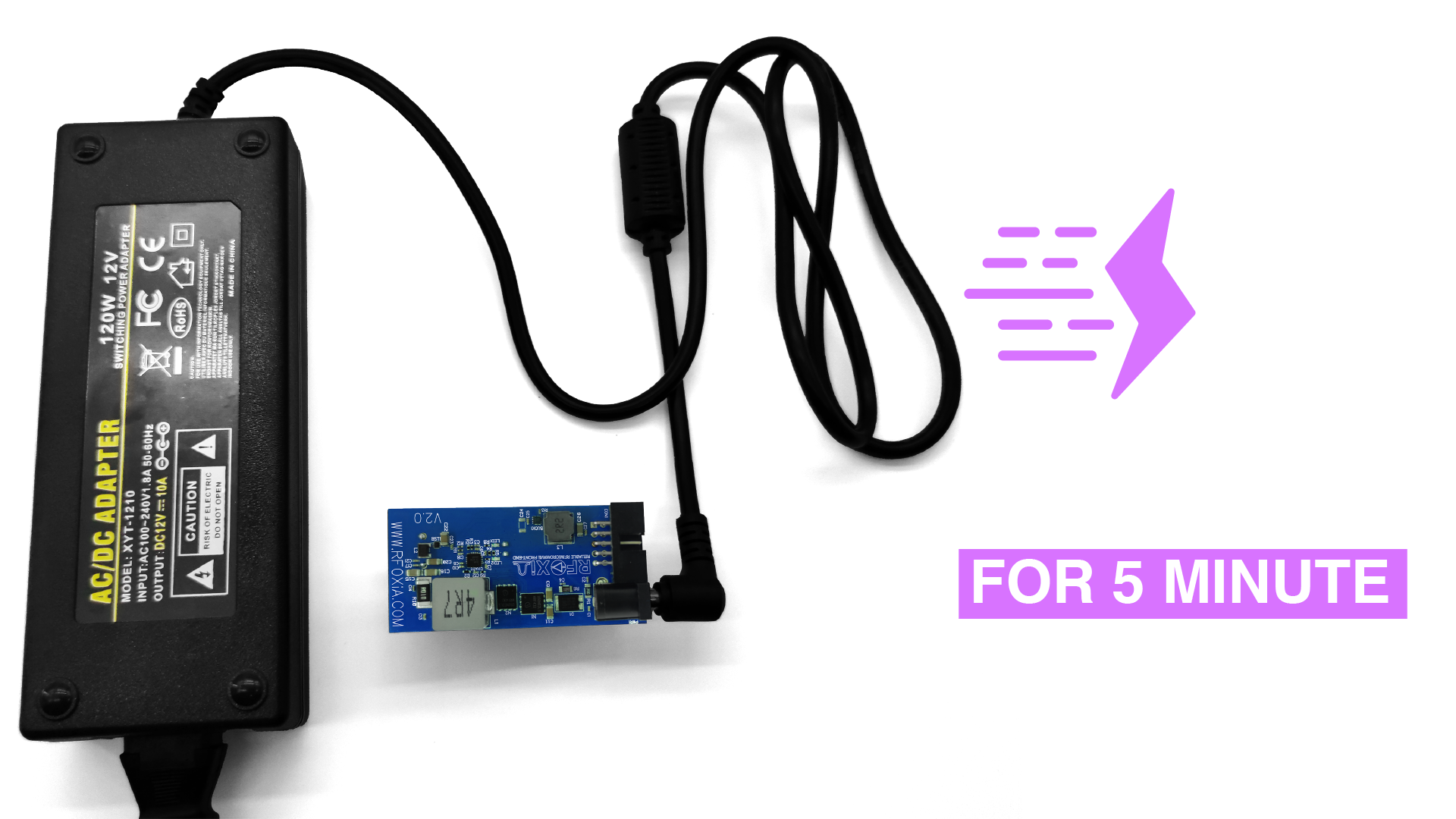
The included 12V 5A charging adapter is matched to the supercapacitor system's charge requirements. The charging circuit accepts 12V at 5A input and delivers 4V at 10A to the supercapacitor bank — which is why the charge time is so dramatically shorter than you might expect for a system storing 8800 Joules.
The adapter is included in the kit, so you have everything you need to charge in the box. No hunting for compatible power supplies, no calculating charge rates, no risk of overcharging from a mismatched adapter.
Complete Connectivity: Everything Included
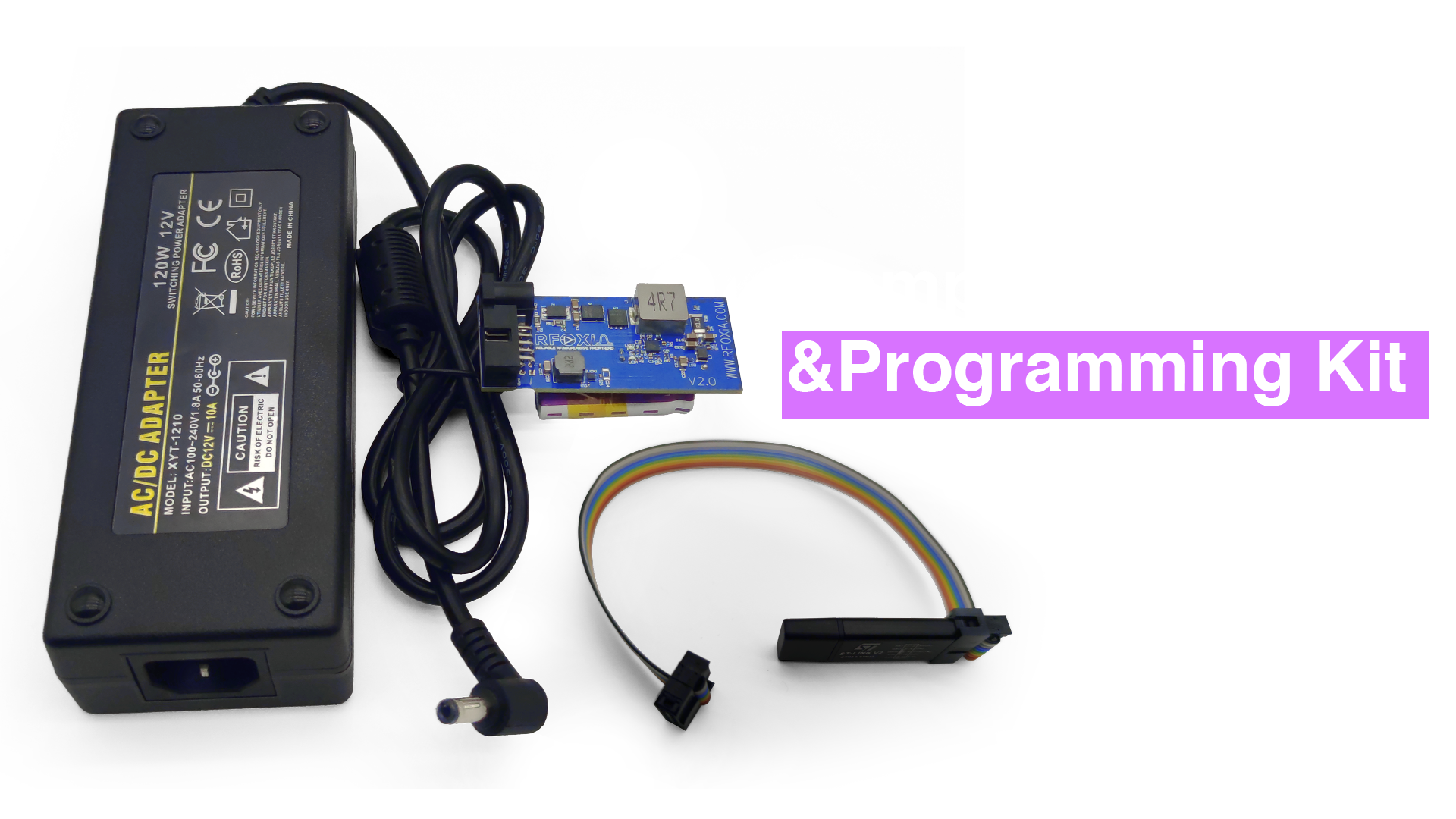
One of the genuine frustrations of hardware development kits is receiving the hardware and then discovering you need to source cables separately — often in obscure sizes that are not available locally. The MultiNav Pro+ Power/Program Kit ships complete:
- Flat ribbon cable: BLE Module to Power Module
- Flat ribbon cable: Programmer to BLE Module
- 12V 5A charging adapter
Flat ribbon cables are used intentionally. They lie flat in your project enclosure, reduce connector stress from cable weight, and make multi-module stacking clean and manageable — unlike bulky wire harnesses that turn a compact module stack into a tangled mess.
Real-World Use Cases: Where This Kit Transforms Your Workflow
FPV and Drone Development
Drone firmware development requires frequent reflashing as you tune control loops, test telemetry protocols, and iterate on communication handling. With SWD access via the integrated STLink, you can reflash the MultiNav Pro+ BLE Module in seconds between flight tests. The supercapacitor power system means you are not waiting for batteries to charge between bench sessions.
Long-Range IoT Node Deployment
Deploying a sensor node at a remote location — a weather monitoring station, an agricultural sensor array, a wildlife tracking installation — requires reliable power that does not depend on daily maintenance. The five-minute charge to full runtime means a site visit can include a quick recharge and firmware update before you leave, with the node running reliably for the rest of the day while you are gone.
Research and Academic Projects
University research teams and independent researchers building wireless sensor networks need development tools that work reliably under time pressure. Midterm demos do not wait for batteries to charge. The Power/Program Kit's five-minute charge-to-full characteristic is a direct answer to the "demo day panic" that every hardware developer knows.
Professional Hardware Development
For professional hardware developers evaluating the MultiNav Pro+ BLE Module for integration into a commercial product, the Power/Program Kit provides a clean, calibrated development environment that eliminates variables. When you are trying to characterize RF performance or debug a timing-sensitive communication protocol, you need stable, noise-free power — not a USB hub struggling to supply enough current.
AI-Assisted Firmware Development: SWD + AI = Fastest Path to Working Code
One capability that sets the RFOXiA ecosystem apart from standalone hardware modules is the AI Firmware Builder integrated into RFOXiA Club. This tool allows you to describe your application in plain language and receive production-ready STM32WB07 firmware — complete source code, not pseudocode — ready to flash via SWD.
The workflow looks like this:
- Describe your application in RFOXiA Club's AI Firmware Builder ("I need the BLE Module to broadcast sensor data at 10Hz and accept commands to toggle GPIO pins")
- AI generates complete firmware source code
- Compile in STM32CubeIDE or your preferred environment
- Flash to your MultiNav Pro+ BLE Module via the STLink programmer in the Power/Program Kit
- Debug live over SWD if needed
- Iterate
The combination of AI firmware generation and SWD live debugging compresses what used to be a weeks-long firmware development cycle into hours. This is the development experience RFOXiA was built to deliver.
The RFOXiA SuperCapacitor Battery and Programmer Kit is the physical foundation of that workflow.
MultiNav Pro+ Power/Program Kit: Full Specifications
| Specification | Value |
|---|---|
| Supercapacitor Capacitance | 1100F |
| Energy Stored | 8800 Joules |
| Charge Time | < 5 minutes |
| Runtime (full module stack) | Full working day (24 hours) |
| Charging Input | 12V 5A |
| Charging Output to Supercap | 4V 10A |
| Programmer Interface | STLink (SWD) |
| Target Module | MultiNav Pro+ BLE Module (STM32WB07) |
| Cables Included | 2x flat ribbon cables |
| Adapter Included | 12V 5A charging adapter |
| FCC Certified | Yes |
| Price | $119 |
Why FCC Certification Matters for Your Project
Every module in the MultiNav Pro+ ecosystem — including the Power/Program Kit — carries FCC certification. For developers building products that will be sold or deployed commercially in the United States, this is not a minor detail. It is a fundamental requirement.
Using FCC-certified modules as components in your design dramatically simplifies your own certification path. Rather than certifying the entire wireless system from scratch, you can leverage the existing module certification and focus your compliance effort on the system integration. This can save thousands of dollars and months of timeline on your product development.
Who Is the MultiNav Pro+ Power/Program Kit For?
You should get this kit if you are:
- A drone builder or FPV pilot developing custom long-range telemetry or control systems
- An IoT engineer deploying wireless sensor nodes that need reliable field power
- A robotics developer who needs clean power and fast firmware iteration cycles
- A researcher or academic building wireless data collection systems
- A hardware developer evaluating the MultiNav Pro+ BLE Module for commercial integration
- Anyone who has been frustrated by slow charges, dead batteries during demos, or unreliable USB flashing
You do not need this kit if you are:
- Only evaluating the BLE Module for range testing with stock firmware (the BLE Module ships ready to use)
- Not planning to write or modify firmware for the module
For most serious developers in the RFOXiA ecosystem, the Power/Program Kit is not optional equipment — it is the development foundation that makes everything else work reliably.
Getting Started: Your Next Steps
The MultiNav Pro+ Power/Program Kit is available now at $119 through the RFOXiA store. If you are purchasing as part of the complete ecosystem, the Developer Bundle (BLE Module + GNSS Module + Sensors Module + Power/Program Kit) is available at $199 after credits — which you can begin earning immediately when you join RFOXiA Club.
New RFOXiA Club members receive a $10 welcome credit on signup — no hardware required to join. The Club also gives you access to the AI Firmware Builder, the Dev Hub community, complete documentation for the MultiNav Pro+ module family, and live product development updates from the RFOXiA engineering team.
If you are serious about embedded wireless development — whether your platform is a drone, a ground robot, a fixed sensor node, or a custom IoT device — the combination of SWD-based professional programming and supercapacitor-powered field reliability that the RFOXiA SuperCapacitor Battery and Programmer Kit delivers is the foundation your projects deserve.
Stop accepting dead batteries and unreliable flash connections as part of your workflow. Five minutes to a full day of power. Professional SWD debugging. Everything included in the box.
That is the MultiNav Pro+ Power/Program Kit.
Frequently Asked Questions
Can I use the STLink programmer in this kit with other STM32 microcontrollers? Yes. The STLink programmer included in the kit is compatible with the full STM32 family and any other ARM Cortex-M microcontroller that supports the SWD interface. It is not limited to the MultiNav Pro+ BLE Module.
Does the supercapacitor system work as a UPS for bench power as well? Yes. While the primary use case is powering the MultiNav Pro+ module stack, the regulated output can power other low-voltage development hardware within the current rating of the output stage.
Is the Power/Program Kit compatible with the RFOXiA Connect app? The Power/Program Kit provides power and programming capability. The BLE Module it powers pairs with the RFOXiA Connect app for drone control, GPS tracking, and mesh communication. The full experience requires both the BLE Module and the Power/Program Kit.
What operating systems does the STLink programmer support? Windows, macOS, and Linux are all supported through ST's official STLink drivers and OpenOCD. PlatformIO on any OS also supports STLink out of the box.
What is the warranty and return policy? All RFOXiA hardware is FCC certified and quality-verified before shipment. Contact the RFOXiA team through RFOXiA Club for warranty and support inquiries.
Ready to upgrade your embedded development workflow? The MultiNav Pro+ Power/Program Kit is available now at rfoxia.com. Join RFOXiA Club free and claim your $10 welcome credit — link in bio.
Written by: Moamen Mohamed LinkedIn